Testing 26.04 Resolute First Results

Hi stay testing various ubuntu versions of resolute from here:

https://cdimage.ubuntu.com/

But most live sessions works ok in my case

However once stay installed pass same error in many resolute versions

kubuntu: live seesion work but installation dont work in my case

lubuntu: live seesion work but installation dont work in my case

ubuntu: stay in loading screen dont go to live session in my case

ubuntu cinnamon: live seesion work and installation work, load correctly but in user screen login dont work still have enabled option of dont ask for password for entry session, and with login with password dont leave entry and same situation happen in tty console without gui in my case

ubuntu kylin: live seesion work and installation work, load correctly but in user screen login dont work still have enabled option of dont ask for password for entry session, and with login with password dont leave entry and same situation happen in tty console without gui in my case

xubuntu: live seesion work and installation work, load correctly but in user screen login dont work still have enabled option of dont ask for password for entry session, and with login with password dont leave entry and same situation happen in tty console without gui in my case

xubuntu minimal: live seesion work and installation work, load correctly but in user screen login dont work still have enabled option of dont ask for password for entry session, and with login with password dont leave entry and same situation happen in tty console without gui in my case

thanks

1 Like

Hi and welcome to Ubuntu Discourse :slight_smile:

I moved your post to its own topic because the topic you posted in is about the ISO Tracker.

This category Pre-Release Discussion is where you can share and report your results with other users.

Thanks

1 Like

Probably related to this?

2 Likes

yeah this error appear in my case with ubuntu version and dont leave go to login screen

thanks

You’re welcome. And welcome to the community. :slight_smile:

3 Likes

after testing lastest ubuntu kylin resolute of today, login error still remain

and test using ubuntu cinnamon 25.10 and installation work ok and login work without issues

curiously comparing login screen between 25.10 and 26.04 on cinnamon flavor: user stay selected on 25.10 only need write password for entry (work ok)

but on 26.04 on cinnamon, user dont appear selected and password box work but password appear as incorrect

also without gui tty console show same error, can write user and password ok but password still remain as incorrect

Hi after more testing i found a way to testing resolute

With actual isos resolute dont work because before cited login problem in my case

However if install for example ubuntu cinnamon 25.10 and after this use:

sudo update-manager -d

In my case stay work ok for now

1 Like

I can confirm that Lubuntu Resolute live works (tested in an ASUS notebook with 6th generation Intel i5 CPU and an nvidia card).

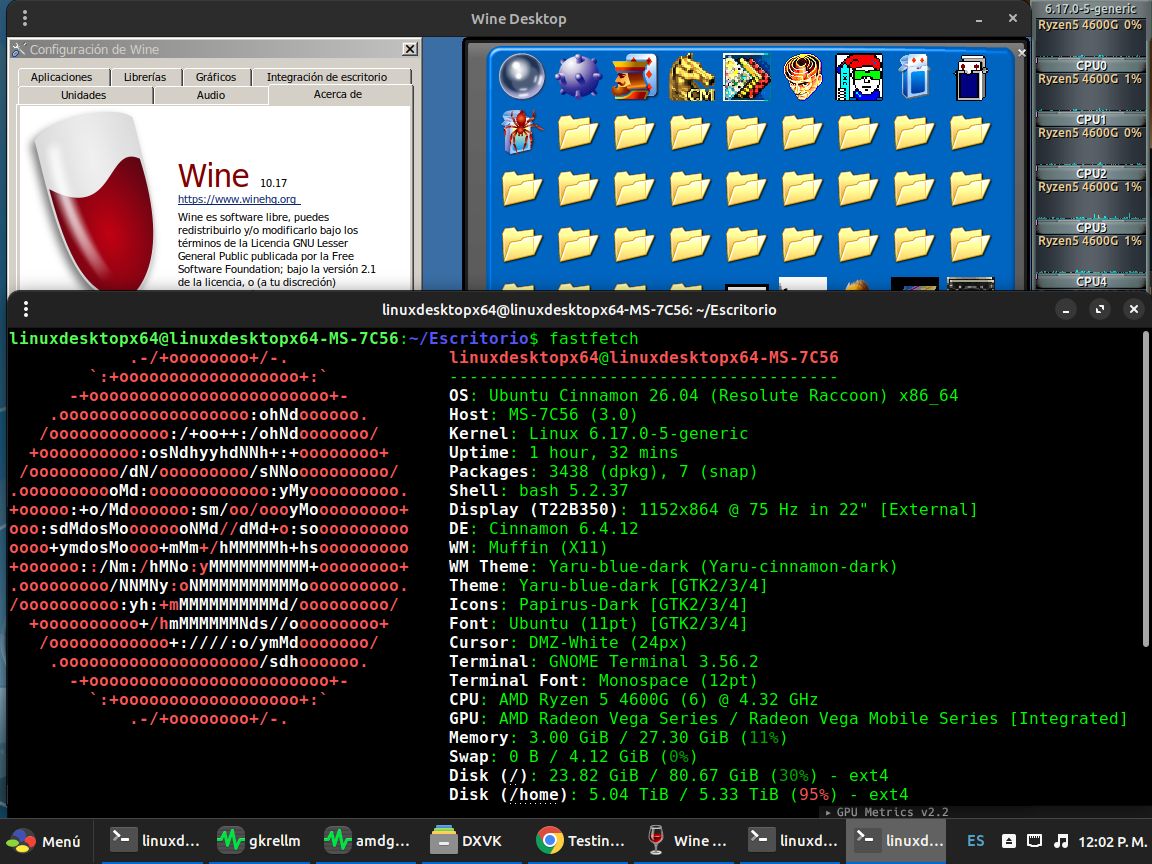
After more testing lastest mesa git compile without issues and same situation occur with wine 10.17 (new wow64) compilation

For now seems work very good

My main area is wine

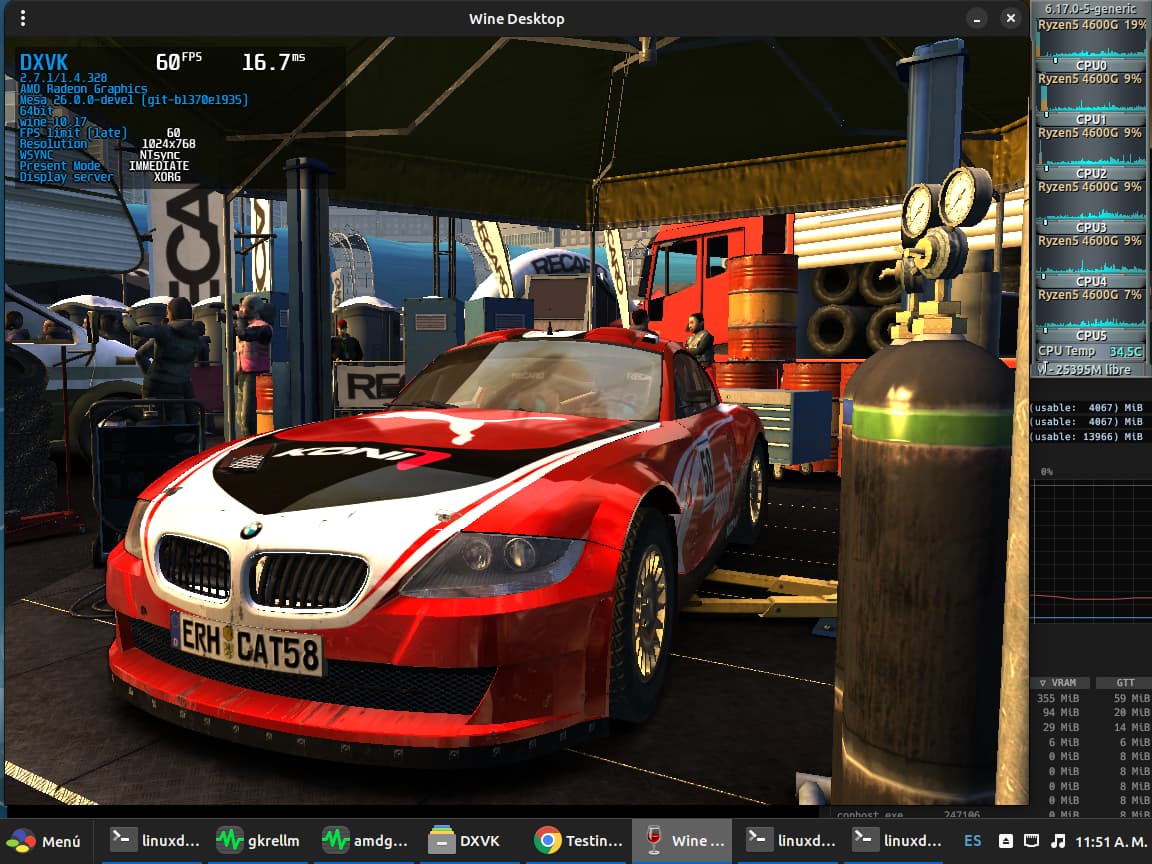
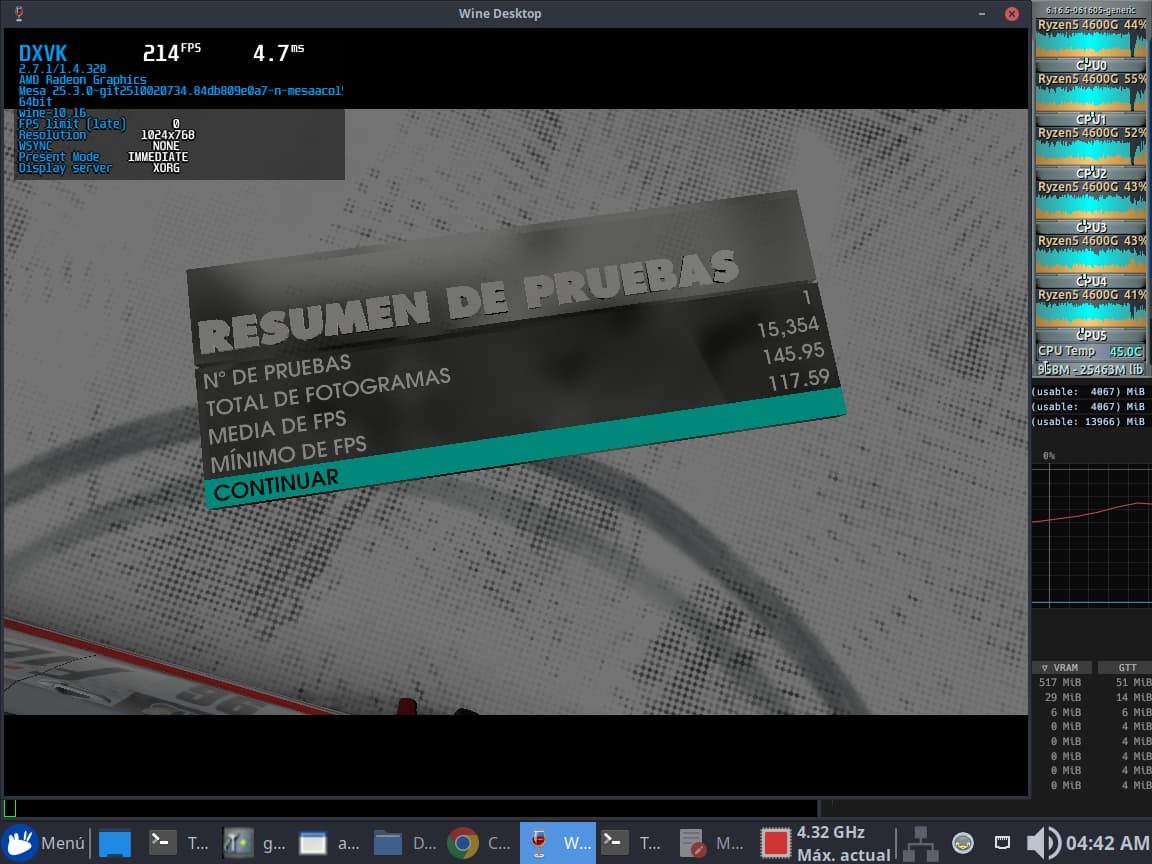
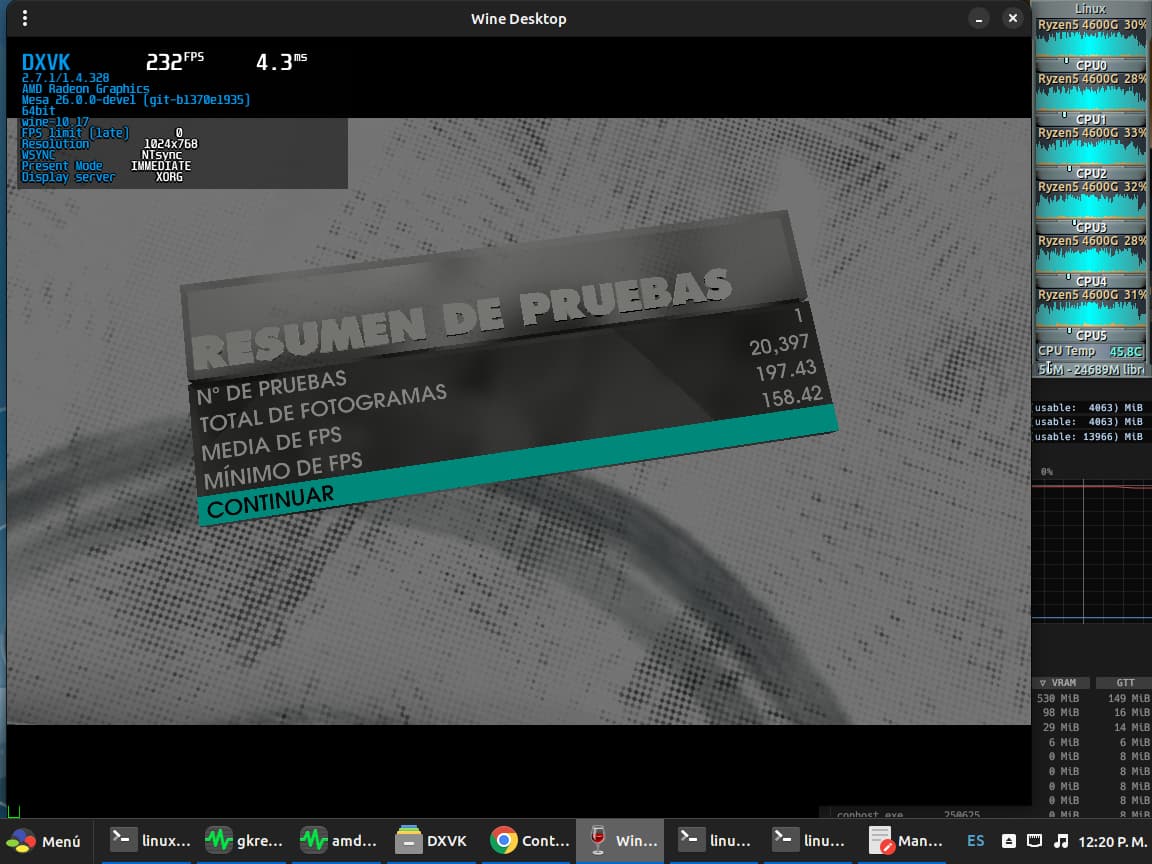
​I finish dirt 3 benchmark and… :exploding_head:

With wine 10.16 with xubuntu 24.04 give this results:

but now​

:slightly_smiling_face:

Upgrade from 25.10 to 26.04 with sudo do-release-upgrade -d successful despite internet connection crashing and restarting during upgrade due to storm.

2 Likes

Did the same in a VM with success.
Ubuntu App Centre has a lot of screen flickering when open.
Will keep updating on a weekly basis until it breaks.

Successful install from Ubuntu 26.04 LTS “Resolute Raccoon” - Daily amd64 (20251022) on

Machine:
  Type: Desktop System: Gigabyte product: H510M H v: -CF
    serial: <superuser required>
  Mobo: Gigabyte model: H510M H v: x.x serial: <superuser required>
    UEFI: American Megatrends LLC. v: F14 date: 03/25/2022
CPU:
  Info: 6-core model: 11th Gen Intel Core i5-11400 bits: 64 type: MT MCP
    cache: L2: 3 MiB
  Speed (MHz): avg: 800 min/max: 800/4400 cores: 1: 800 2: 800 3: 800 4: 800
    5: 800 6: 800 7: 800 8: 800 9: 800 10: 800 11: 800 12: 800
Graphics:
  Device-1: Intel RocketLake-S GT1 [UHD Graphics 730] driver: i915 v: kernel

reformatting an existent partition on nvme disk

4 Likes

Same here 1 st successful install Ubuntu 26.04 LTS Resolute -
ASRock H410M-HDV i5-10400 Motherboard,32GB,Intel UHD Graphics 630,Ethernet,Intel 660p 512GB M.2 NVMe SSD
UEFI,no encryption,full disk,and Internet connection

3 Likes

I tested Ubuntu 26.04 LTS Resolute persistent live (including a reboot) in a Dell Precision M4800 with a 4th gen Intel i7 CPU and nvidia graphics.

The things I tested work well, including installing and using mkusb.

3 Likes

Just installed Xubuntu 26.04 Daily amd64 (20251023) from daily/pending in KVM/QEMU and so far it is working exactly like 25.10 which is not surprising as it is probably almost the same iso at this stage of development.
Unfortunately it is still impossible to change the resolution in a VM using KVM/QEMU though it can still be changed using the Virtio-video XML file.
So far all is good and working very well.

4 Likes

I’ve tested most of the ubuntu-base installs. They all work, but the host emulators (for s390x and riscv64) need to be run on a Questing install, which is a bit of a nuisance as my main box is 24.04

3 Likes

What happens with the ISO of 26.04 Resolute? There are no more amd64 ISOs since Nov 1st
https://launchpad.net/~ubuntu-cdimage/+livefs/ubuntu/resolute/ubuntu

Screencast icon disappeared in screenshot. I opened a bug https://bugs.launchpad.net/ubuntu/+source/gnome-shell/+bug/2129814 but seems ignored
bug 2129814

Quote from ogra on IRC:

There was a Canonical developer sprint last week, if the builds started failing during the week it is likely nobody found the time to care for them yet … will likely be resolved next week

2 Likes