After running a periodic software update, my laptop’s Nvidia graphics card was not working anymore, instead falling back to the Intel graphics chip.
I noticed that the kernel had updated from 6.8.0-79 to 6.8.0-83.
rebooting with the -97 kernel, the Nvidia graphics was working again (yay!). Booting with the -83 kernel, it breaks again.
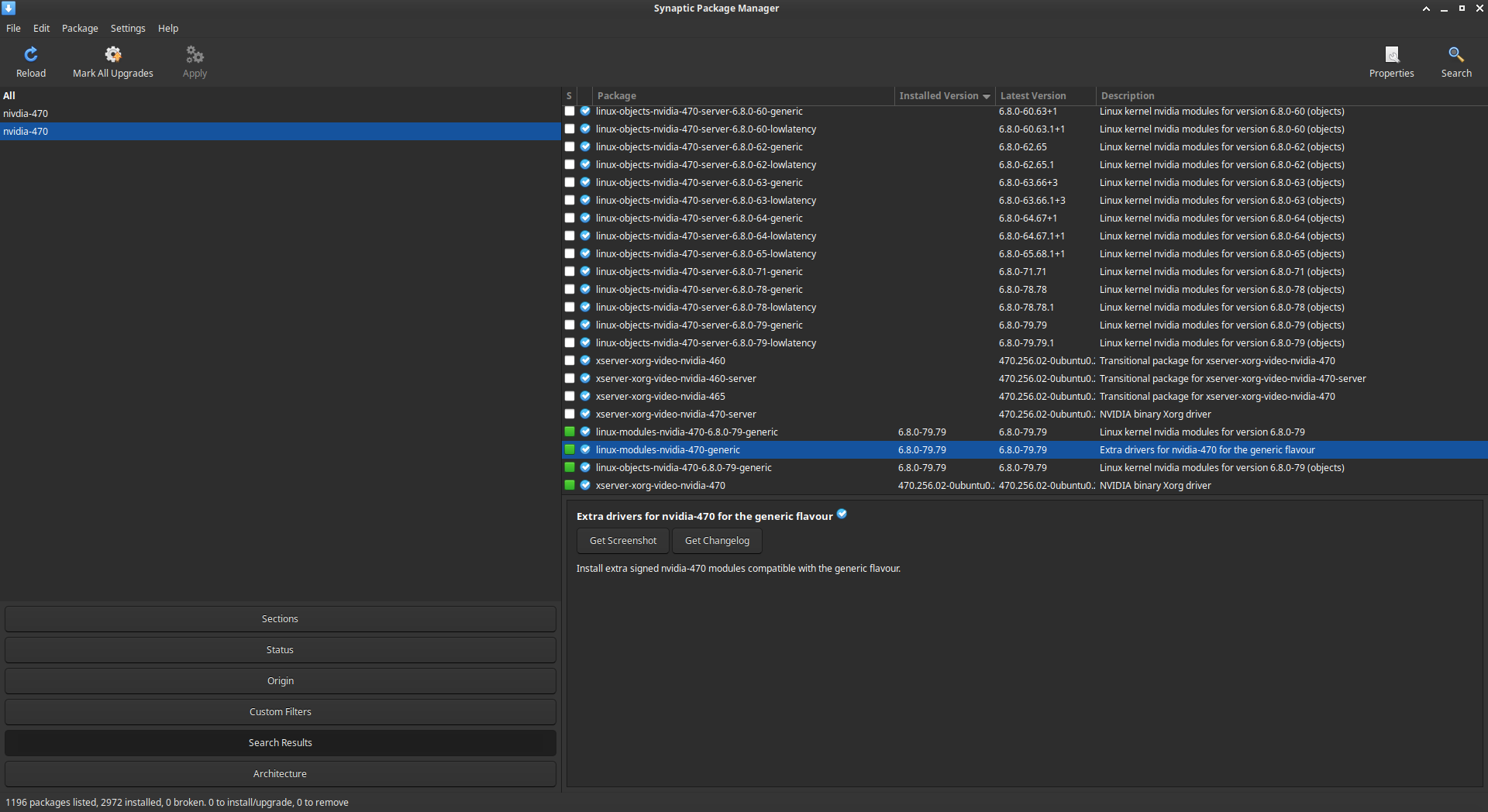
Running the software updater, it reports that I cannot upgrade because some packages are not available, and suggests removing package linux-modules-nvidia-470-generic and nvidia-driver-470.
I also noticed that I have package linux-modules-nvidia-470-6.8.0-79-generic installed, but there seems to be no package linux-modules-nvidia-470-6.8.0-83-generic in the repository.
My questions:
Can someone verify that the nvidia 470 driver is not working/not supported with kernel version 6.8.0-83 and/or the latest Ubuntu 24.04 LTS version?
is this a mistake that will this be fixed in a future update? Or is this by design?
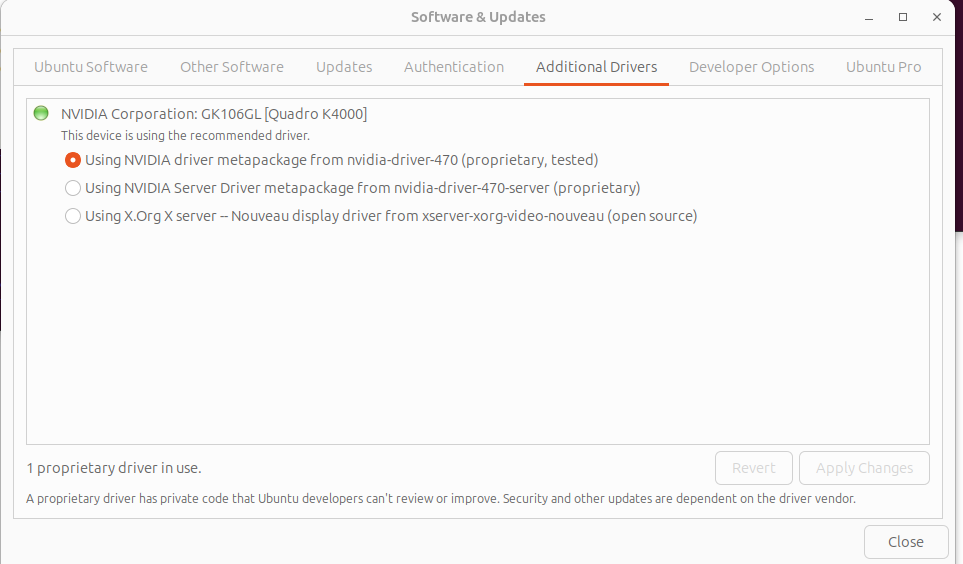
I also had a problem with this kernel update and nvidia-driver-470. I have to use nvidia-driver-470 to support my older Quadro K4000, and the nouveau driver causes my desktop to freeze. Upon rebooting after the system requested it, my display was stuck in 640x480, which is a real pain, since the dialog boxes seem to assume a minimum resolution of 1024x768.
It appears that this kernel update somehow wiped out the nvidia-driver-470 install. I managed to get to the software updates dialog, and was able to see that an upgrade was incomplete and there were held packages. I tried a number of things, but I think this is what finally worked. I did sudo apt udate sudo apt upgrade sudo apt remove nvidia-driver-470
and rebooted, but that did not fix the problem. I then used apt list --installed | grep nvidia
to find every nvidia package remaining and manually removed all of them. There were a bunch of nvidia-driver-5xx (don’t remember exactly which one) packages, which I don’t ever remember installing, and would have no reason to, since that driver doesn’t support my video card.
Anyway, after removing all the nvidia packages, I did sudo apt autoremove sudo apt install xserver-xorg-video-nouveau
but apt reported that nouveau was already installed.
After reboot, my displays came up in 1920x1080 using the nouveau driver. I ran that for awhile to see if the desktop freeze problem had been solved. It had not, so I reinstalled the nvidia driver. ubuntu-drivers devices
identified that I needed 470, and I installed it with sudo apt install nvidia-driver-470
After reboot, the displays came up properly running with the nvidia-470 driver. I have been running for over a day without issues. My kernel is 6.8.0-83-generic on ubuntu 24.04 LTS. nvidia-smi identifes the driver as 470.256.02. lshw -c display indicates that the nvidia driver is in use.
I don’t know exactly which of the above steps did the trick.
Yes — this isn’t the driver itself breaking but a missing linux-modules-nvidia-470-6.8.0-83 package in the repo. The 470 driver is legacy, so support is spotty. For now you’ll need to boot a kernel that has the 470 modules (e.g. -79 or -97) or wait until Ubuntu publishes the missing build. If you rely on 470 long term, it may be worth tracking the package bug on Launchpad or considering newer hardware/drivers.
Whatever was missing must have been added, because as I posted above, nvidia-470 is now working fine for me with the latest kernel. My system was broken on Saturday 9/20. I tried reinstall of nvidia-driver-470 on Saturday, but it still didn’t work, so I ran the nouveau driver until Sunday afternoon 9/21, at which point I tried to install the nvidia-driver-470 again, which was successful. Somebody apparently figured out that the nvidia-470 modules were missing.
Software Updates now wants to install kernel 6.8.0-84. Where can I check to see if the nvidia-470 modules are available and properly published for this kernel?
I’ll stick with that kernel version for now. And I suppose should check out how good the nouveau driver has gotten, to see if that’s a reasonable replacement.
If I boot with 6.8.0-83-generic kernel, I have no wallpaper in my desktop, and nvidia driver don’t work : can’t set screen resolution, run nvidia control, and so on.
The problem is NOT solved by using the last update (-84)
:~$ sudo uname -a
Linux 24-desktop 6.8.0-84-generic #84-Ubuntu SMP PREEMPT_DYNAMIC Fri Sep  5 22:36:38 UTC 2025 x86_64 x86_64 x86_64 GNU/Linux
Relevant System Information:
(From -79 kernel)
:~$ nvidia-smi
Sat Sep 27 21:41:29 2025
+-----------------------------------------------------------------------------+
| NVIDIA-SMI 470.256.02   Driver Version: 470.256.02   CUDA Version: 11.4     |
|-------------------------------+----------------------+----------------------+
| GPU  Name        Persistence-M| Bus-Id        Disp.A | Volatile Uncorr. ECC |
| Fan  Temp  Perf  Pwr:Usage/Cap|         Memory-Usage | GPU-Util  Compute M. |
|                               |                      |               MIG M. |
|===============================+======================+======================|
|   0  NVIDIA GeForce ...  Off  | 00000000:01:00.0 N/A |                  N/A |
| 26%   33C    P8    N/A /  N/A |    345MiB /  1994MiB |     N/A      Default |
|                               |                      |                  N/A |
+-------------------------------+----------------------+----------------------+

+-----------------------------------------------------------------------------+
| Processes:                                                                  |
|  GPU   GI   CI        PID   Type   Process name                  GPU Memory |
|        ID   ID                                                   Usage      |
|=============================================================================|
|  No running processes found                                                 |
+-----------------------------------------------------------------------------+
What I’ve Tried:
Boot from previous kernel (-79 for me) works, of course.
I tried all these steps and still quadrop2200 doesnt get recognized even after applying this. I tried both the normal 470 and the server (which im currently in with the kernel). Maybe im missing some steps
470 drivers are EOL for over 1,5 year. NVIDIA dropped support for them. They are no longer monitored for CVEs and will never receive a fix. Therefore they were dropped from signing process.
Users can still switch to DKMS version with:
NVIDIA dropped support for 470 drivers. They are EOL for over 1,5 year. Since they are no longer monitored for CVEs, and will never receive a fix, the decision was made to have them dropped from signing process.
Users can still switch to DKMS version with:
I think removing working drivers for old hardware is a terrible idea. Nvidia did not do it, so why should Canonical?
Exactly when is nvidia-driver-470 to be removed?
What are the options exept inferior nouveau and W10?
Yes, using nvidia-driver-470 instead of linux-modules-nvidia-470 works fine. Thanks kuba-t-pawlak.
It is strange that the maintainers decided to drop the signed modules during a maintenance update of a LTS version though. It would have been nice if the update automatically switched to the DKMS modules, but maybe that wasn’t technically feasible, I don’t know.