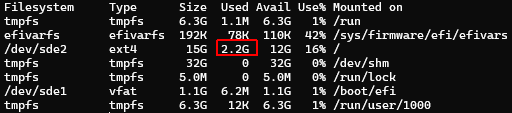
E.g. ubuntu’s own minimal cloud image has a footprint of about 485 (last time I checked). That’s “Minimal”
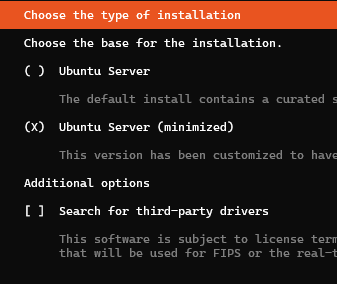
How do I “improve” the Ubuntu Server (minimized) installation to actually be minimum?
Should I make my own autoinstall.yaml (not sure which packages to include/exclude packages) or should I just remove packages from \casper\filesystem.manifest and/or \casper\ubuntu-server-minimal.manifest on the USB install media?
Or is there are better approach?
(is this more related to cloud-init?)
UPDATE:
It didn’t change anyting to remove files in \casper\ubuntu-server-minimal.manifest
Only those devices active on the server when the installation is performened. Not sure how Debian and openSUSE do it, but as I remember I end up with a full working server installation at about 800MB.
Would like to end up with the same footprint on ubuntu too.