Hello.
Thanks for reading that topic.
In Lubuntu 20.04 had the Muon Package Manager for list all installed dependencies. That software was removed.
Have an software utility does the same as Muon for Lubuntu 24.04 ?
Have an nice week.
Sorry, not quite sure what you’re asking 
If you’re seeking a list of all installed packages, including dependencies of other packages, I use this Terminal command:
dpkg-query -l | less -S
If you’re seeking a list of dependencies of one or more specific installed package(s), that information is included in the output of:
apt-cache show <specific package(s)>
If you’re seeking a list of only the installed packages that were installed as dependencies:
apt-mark showauto
Or if you’re seeking a GUI for managing apt packages, you could try installing Synaptic:
sudo apt install synaptic
5 Likes
I want an GUI for managing apt packages so as is Muon.
Is possible install Muon in 24.04, but has issues not showing all dependencies in the OS.
I will try Synaptic.
Have another software with GUI too ?
Lubuntu 24.04 LTS comes with Discover, as mentioned in the Lubuntu Manual - https://manual.lubuntu.me/lts/4/4.1/discover.html
Myself, I’m mostly using commands at terminal, but for when I want something that is interactive, my preference is aptitude, as it lets me search for packages, read details about packages, and most importantly tag them for install when I’ve found & got all I want.
@guiverc
Thanks for your reply.
I have tested aptitude and the packages are classfied as type of software.
Here Lubuntu in installation was used minimal option so Discover not is showed.
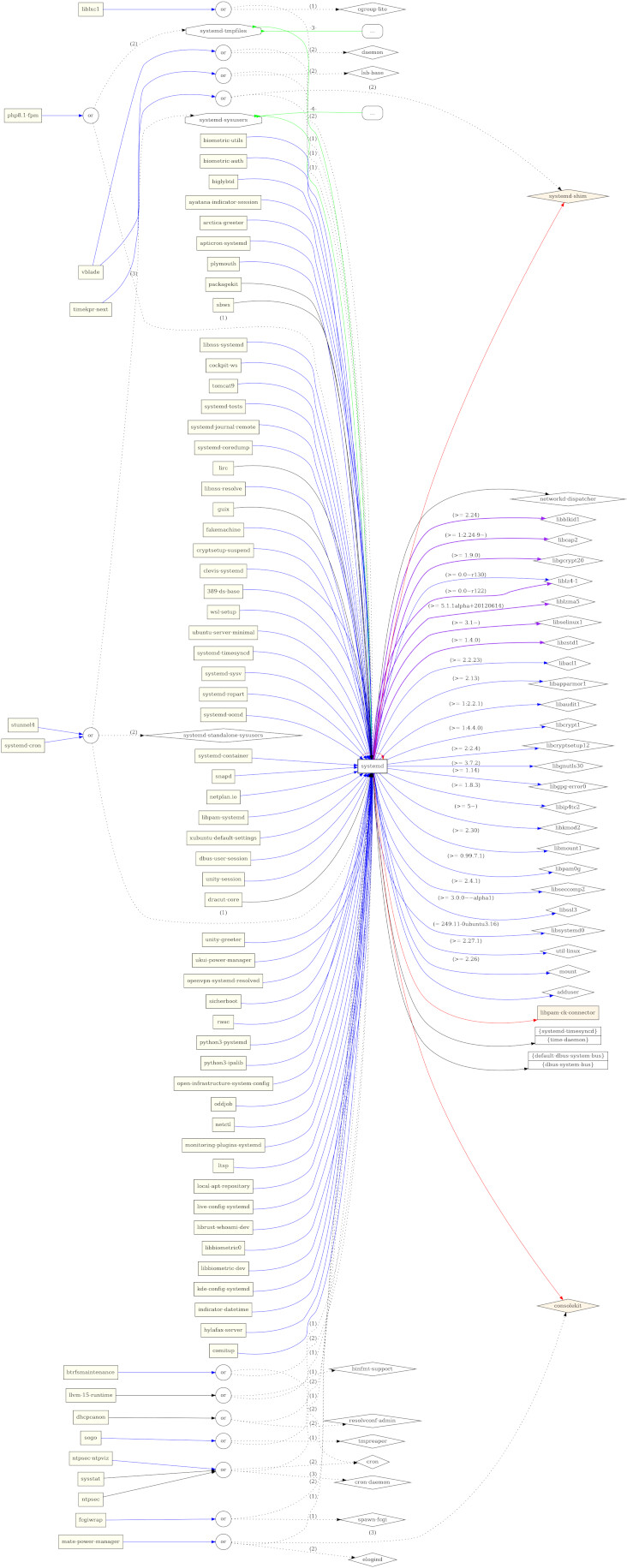
For each package that you want to investigate, you can use the following command (using example of “systemd”) to which I was introduced in this discussion:
packageName="systemd"

debtree -v --max-depth=2 --rdeps-depth=2 ${packageName} | dot -Tpng > ${packageName}.png
That will give you an image that looks like this (scaled to 1/3 of original size):
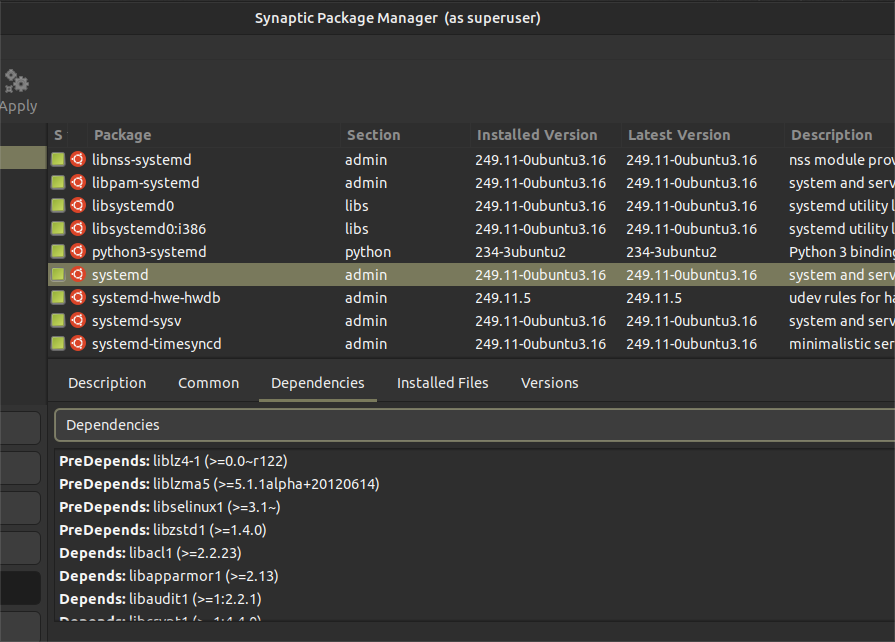
But as offered by @halogen2 , my preferred tool is synaptic. You can see the dependencies for any installed package, as shown below. NOTE: You cannot see the dependencies for packages not yet installed.
1 Like
I tried that myself with Lubuntu 24.04 and can’t recommend it. A lot of rudimentary functionality is missing, and putting it all together again is a major effort.
I did a new typical install and removed the few thorns that bugged me easily. Much better.
I liked Muon a lot, but Synaptic does the job as well. I don’t like Discover.
To encourage you to give Synaptic a serious look, be aware that Muon is not under active develpment … whereas Synaptic is still being actively developped and, most importantly, independantly of any specific Distro.
This last point is made to underline that no single Distro can “manipulate” the feature set in favour of itself.
1 Like
That link appears to be an entirely different software that just happens to also be called “Muon”? For me the homepage link from the Ubuntu package of Muon leads to here - which is not merely “not under active development”, it’s explicitly archived
2 Likes
This topic was automatically closed after 30 days. New replies are no longer allowed.