I would like to focus on something that seems oft-neglected or given lower priority; namely, how topics evolve over time, and how we as a community can keep discussions clear, useful, and easy to navigate long after the first post is written and published.
Healthy topics don’t just happen. They are shaped by the people participating in them.
The way we update, maintain, and revisit threads has a significant impact on the entire support ecosystem.
For fast-growing communities like ours, this becomes even more important over time.
Tip: when composing your topic or support request remember that volunteers are not sitting there next to you. Try to provide as much relevant information as you are able to.
Use the Support Template wisely and change any information as needed and also remove anything not relevant to your question.
When to Update a Topic vs. When to Create a New One
A common question is whether a new issue belongs in an existing topic or in a brand-new one.
An existing topic should be updated if:
- You are continuing the exact same problem or troubleshooting path
- The issue is ongoing and new details develop over time
- You are providing follow-up information requested by volunteers
- You solved the problem and want to share the final resolution
A new topic should be created if:
- Your issue is similar but not identical
- A major version change has occurred since the old topic was active
- Your situation has different symptoms, logs, hardware, or context
- The existing discussion does not logically lead to your specific problem
Adding an unrelated issue to someone else’s topic usually slows everyone down, confuses volunteer users, and drags the topic in potentially undesirable directions.
Creating a new thread helps volunteers focus and keeps the platform clean.
Make the effort to put things in the right place, so that we can spend more time discussing and less cleaning up. So:
- Don’t start a topic in the wrong category.
- Don’t cross-post the same thing in multiple topics.
- Don’t post no-content replies.
- Don’t divert a topic by changing it midstream.
Rather than taking an existing topic in a radically different direction, use Reply as a Linked Topic.
Reply as a Linked Topic:
This is a powerful but little-known gem and I believe also under-utilized feature on Discourse.
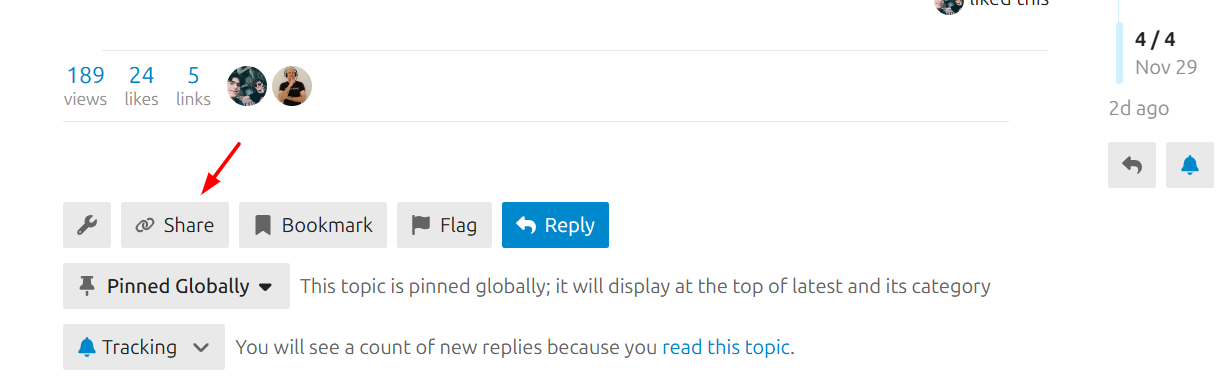
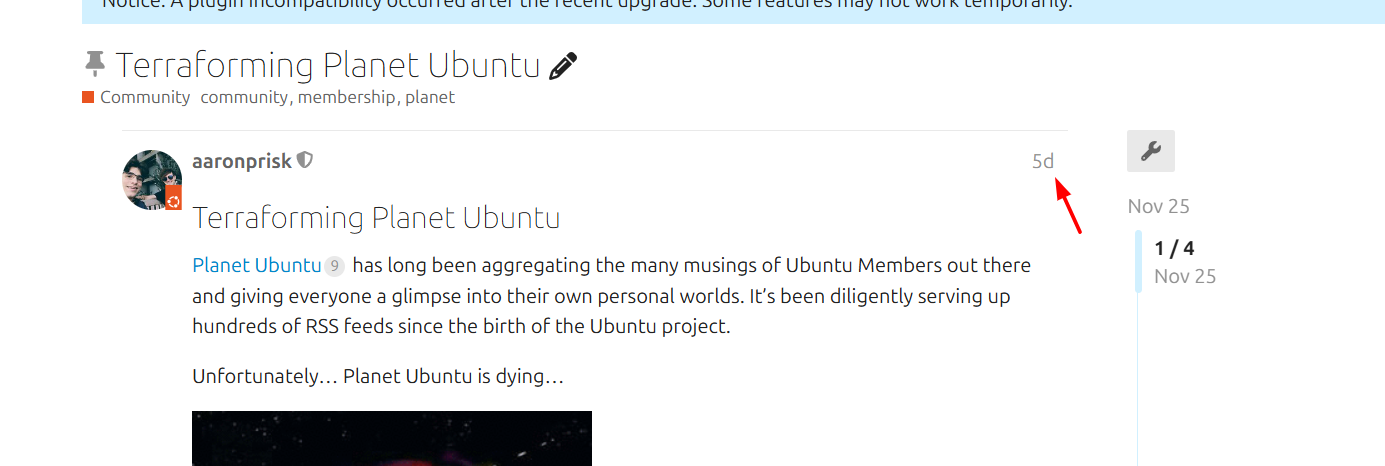
Go to the first post in a topic and click on the timestamp
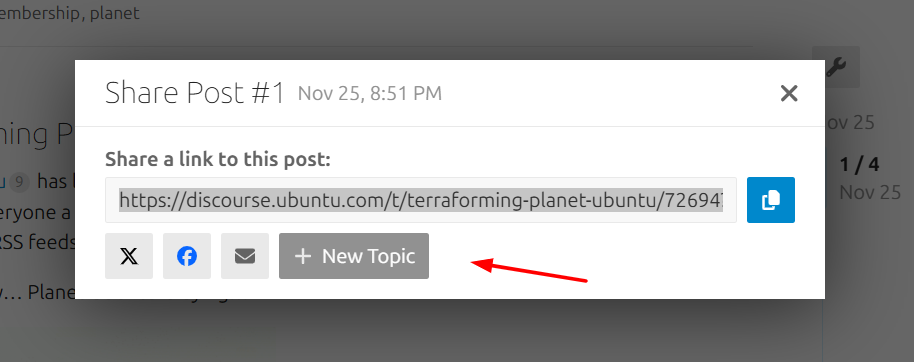
A dialog box will appear allowing you to start a new topic linking back to the one that interests you.
After clicking on New Topic, this is what you will see.
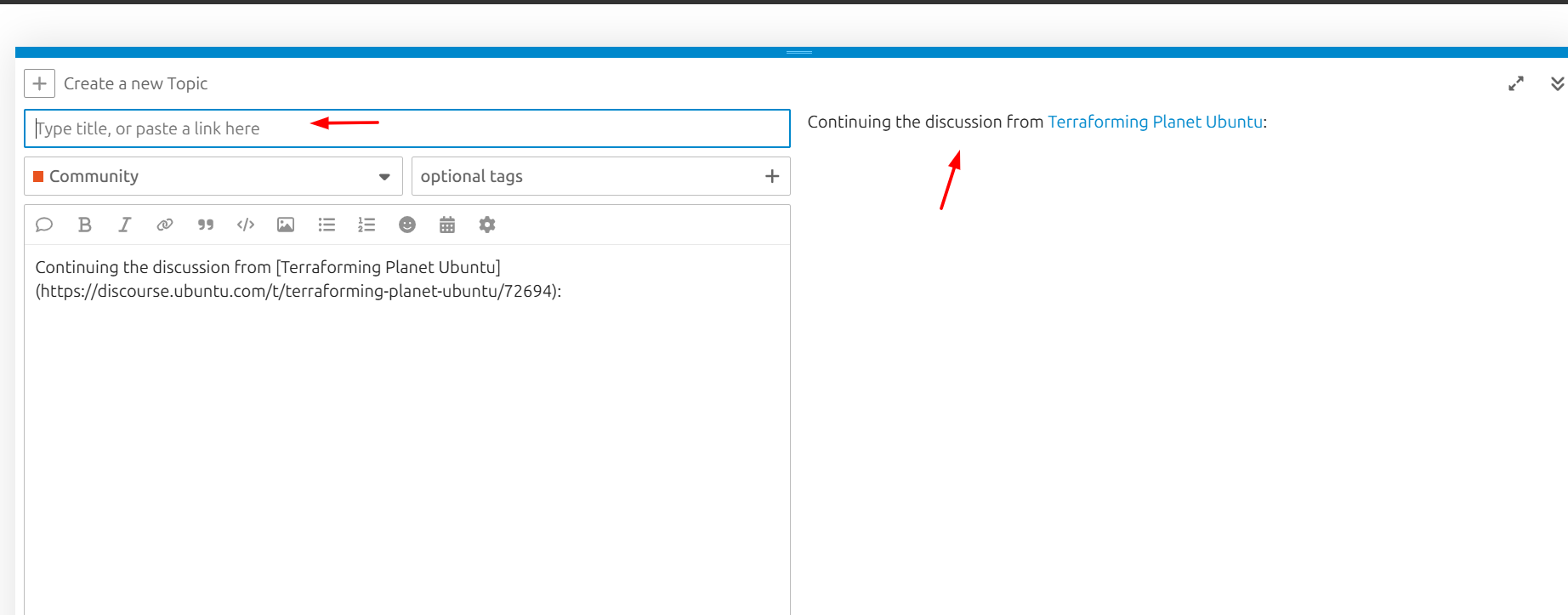
The new topic is in the same category, but you need to add a good title and relevant tags. You can, of course, also change the category when relevant.
This is a powerful feature that can deepen our knowledge base and keep discussions vibrant and relevant.
Etiquette for Reviving Old Threads (also known as Necroposting or Necrobumping)
Sometimes an older topic is still relevant, especially for problems that persist across releases. In those cases, reviving the thread can be helpful. Other times, it can cause confusion.
It’s appropriate to revive a thread when:
- You have new, directly relevant information that genuinely continues the original issue
- You are confirming that the same bug persists in a newer version
- You are adding a solution that wasn’t previously mentioned
It’s better to start a new thread when:
- You are reporting the problem for the first time
- The old topic solved one problem but you are facing another one that might be related
- The software involved has changed significantly since the original post
If you do revive an old topic, make sure to explain clearly why your post is relevant and what has changed.
When clicking Reply for older topics a warning will appear on the right side of the composer.
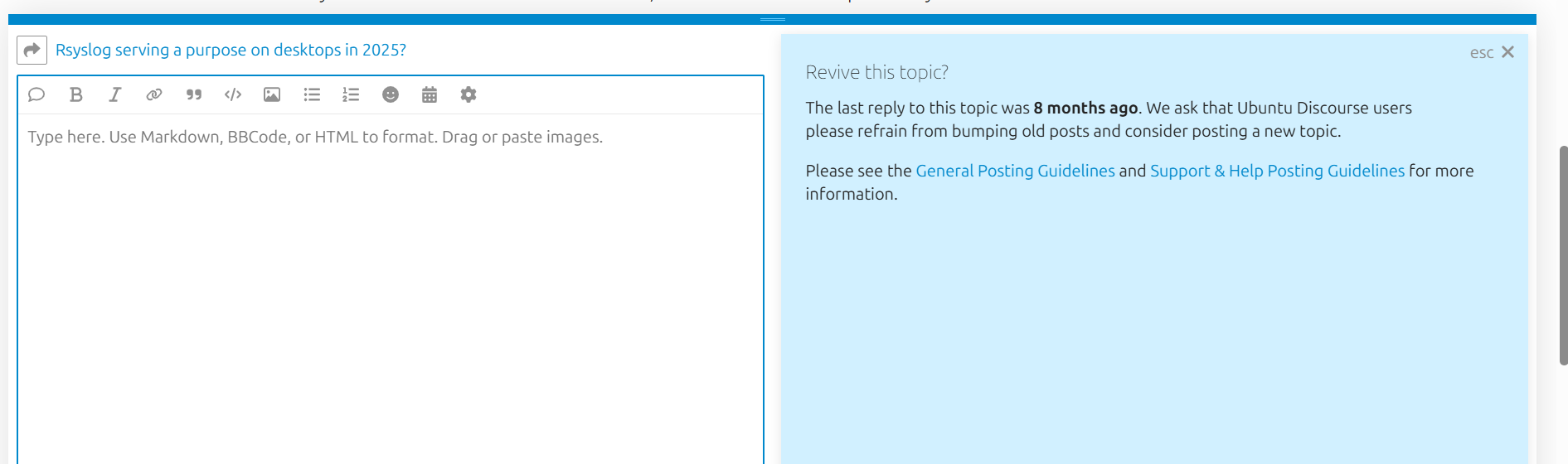
Please don’t ignore these messages, they are intended to help guide you.
Marking Solutions Properly
One of the most powerful features in Discourse is the ability to mark a reply as the solution. This small action has several major benefits:
- It helps future readers find answers faster
- It signals to volunteers that the thread is resolved
- It improves search quality across the forum
- It acknowledges the efforts of the person who helped resolve the issue
If you receive help that solves your problem, please mark the appropriate reply as the solution.
If the solution is a combination of steps, you can write a short summary reply and mark that instead.
For example, let’s say two or even three different users helped come up with the solution to your issue.
Consider adding a reply at the end of the topic along the lines of “thanks to @mention and @mention and @mention for helping solve this”
Obviously, replace with the actual username. This way, you not only acknowledge the help you were given but also help close the circle.
The Importance of “Closing the Loop”
One of the biggest challenges in support forums is when topics are left hanging. A user tries something, disappears, and the thread ends with no confirmation. This leaves volunteers guessing and future readers frustrated.
Closing the loop means:
- Reporting what ultimately fixed the issue
- Confirming when a suggested solution worked
- Letting others know if the problem was external or unrelated
- Sharing any additional steps you discovered along the way
Even a short follow-up reply such as “This worked, thank you” or “I solved it by doing X” increases the long-term value of the discussion.
Final Thoughts
Healthy topics are a shared responsibility. When we update responsibly, revive thoughtfully, and report outcomes clearly, we build a resource that helps everyone: new users, experienced volunteers, and even future versions of ourselves searching for solutions down the line.
As always, feel free to share your own practices, suggestions, or experiences.
Don’t forget to follow the tag to stay updated for the next installment in the series.