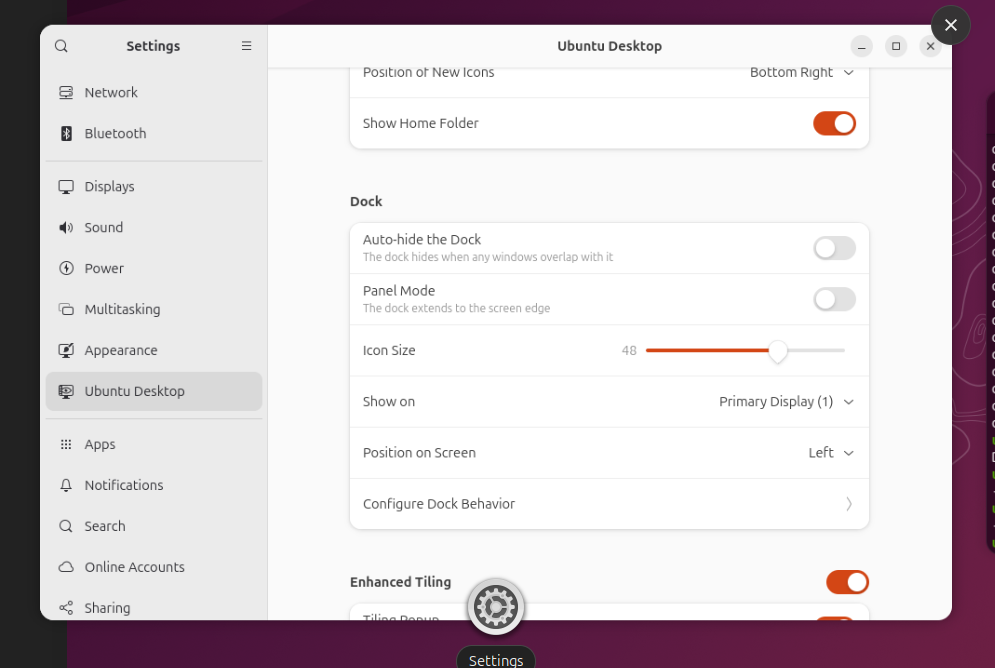
I am starting this topic to discuss the possibility to allow the user to set the “show applications” icon position in the dock.
By default, the “show all application” icon is located at the left bottom of the screen and it works perfectly well when the dock takes the full screen. However, when used in panel mode, having the “show application” icon right after the trash icon might feel a bit odd.
There is a setting that allows to set its position:
gsettings set org.gnome.shell.extensions.dash-to-dock show-apps-at-top true
Would it be possible to expose this setting in the “Settings” app via the “Ubuntu Desktop” section? It could easily be based on the setting to set the position of the dock on screen with just two options “start” and “end”.
You can install the Extensions Manager and change it from there. However i agree it would be nicer to have that option available through Settings itself.
This will be a really great option, too many corporate users are pushed to Ubuntu from the other OSs, so it will be nice to have a native setting to make Ubuntu Dock more comfortable for them, since they will have no experience with extensions.
Thank you for opening a request, it’s really appreciated. I clicked “This affects me too”, lets hope others who are interested in this feature will do the same.
I think this is the case were it’s fine to just use gnome-extensions prefs ubuntu-dock@ubuntu.com, given that such option wouldn’t work very well in the default case (in vertical mode), so instead of making this only visible when the bar is horizontal I think it would be just better to hide it atm.
It’s comparable to how the dash/app menu launcher was placed on the Dock in Unity. I don’t really see how it would be less UX friendly and it makes more sense to me having it on top. It doesn’t get in the way imho. Most users press the Super-key to open the app menu anyway.