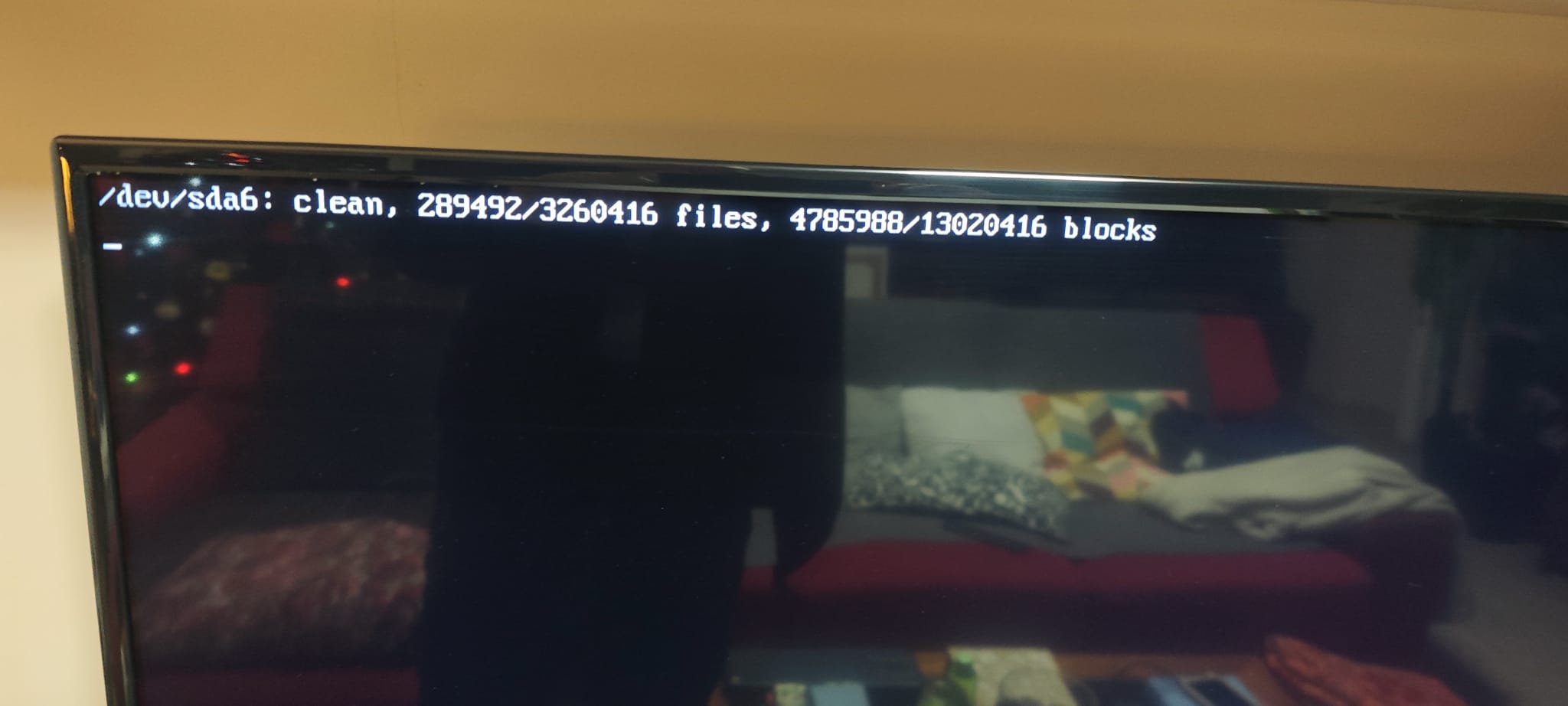
so… just to clarify, dont want to break my grub.
this is my
/boot/grub/grub.cfg
#
# DO NOT EDIT THIS FILE
#
# It is automatically generated by grub-mkconfig using templates
# from /etc/grub.d and settings from /etc/default/grub
#
### BEGIN /etc/grub.d/00_header ###
if [ -s $prefix/grubenv ]; then
set have_grubenv=true
load_env
fi
if [ "${initrdfail}" = 2 ]; then
set initrdfail=
elif [ "${initrdfail}" = 1 ]; then
set next_entry="${prev_entry}"
set prev_entry=
save_env prev_entry
if [ "${next_entry}" ]; then
set initrdfail=2
fi
fi
if [ "${next_entry}" ] ; then
set default="${next_entry}"
set next_entry=
save_env next_entry
set boot_once=true
else
set default="Windows 7 "
fi
if [ x"${feature_menuentry_id}" = xy ]; then
menuentry_id_option="--id"
else
menuentry_id_option=""
fi
export menuentry_id_option
if [ "${prev_saved_entry}" ]; then
set saved_entry="${prev_saved_entry}"
save_env saved_entry
set prev_saved_entry=
save_env prev_saved_entry
set boot_once=true
fi
function savedefault {
if [ -z "${boot_once}" ]; then
saved_entry="${chosen}"
save_env saved_entry
fi
}
function initrdfail {
if [ -n "${have_grubenv}" ]; then if [ -n "${partuuid}" ]; then
if [ -z "${initrdfail}" ]; then
set initrdfail=1
if [ -n "${boot_once}" ]; then
set prev_entry="${default}"
save_env prev_entry
fi
fi
save_env initrdfail
fi; fi
}
function recordfail {
set recordfail=1
if [ -n "${have_grubenv}" ]; then if [ -z "${boot_once}" ]; then save_env recordfail; fi; fi
}
function load_video {
if [ x$feature_all_video_module = xy ]; then
insmod all_video
else
insmod efi_gop
insmod efi_uga
insmod ieee1275_fb
insmod vbe
insmod vga
insmod video_bochs
insmod video_cirrus
fi
}
if [ x$feature_default_font_path = xy ] ; then
font=unicode
else
insmod part_msdos
insmod ext2
set root='hd0,msdos6'
if [ x$feature_platform_search_hint = xy ]; then
search --no-floppy --fs-uuid --set=root --hint-bios=hd0,msdos6 --hint-efi=hd0,msdos6 --hint-baremetal=ahci0,msdos6 0cf8cc6c-9ae9-4624-9510-1c27d34bef35
else
search --no-floppy --fs-uuid --set=root 0cf8cc6c-9ae9-4624-9510-1c27d34bef35
fi
font="/usr/share/grub/unicode.pf2"
fi
if loadfont $font ; then
set gfxmode=auto
load_video
insmod gfxterm
set locale_dir=$prefix/locale
set lang=es_ES
insmod gettext
fi
terminal_output gfxterm
if [ "${recordfail}" = 1 ] ; then
set timeout=30
else
if [ x$feature_timeout_style = xy ] ; then
set timeout_style=hidden
set timeout=8
# Fallback hidden-timeout code in case the timeout_style feature is
# unavailable.
elif sleep --interruptible 8 ; then
set timeout=0
fi
fi
### END /etc/grub.d/00_header ###
### BEGIN /etc/grub.d/05_debian_theme ###
set menu_color_normal=white/black
set menu_color_highlight=black/light-gray
### END /etc/grub.d/05_debian_theme ###
### BEGIN /etc/grub.d/10_linux_proxy ###
function gfxmode {
set gfxpayload="${1}"
if [ "${1}" = "keep" ]; then
set vt_handoff=vt.handoff=7
else
set vt_handoff=
fi
}
if [ "${recordfail}" != 1 ]; then
if [ -e ${prefix}/gfxblacklist.txt ]; then
if [ ${grub_platform} != pc ]; then
set linux_gfx_mode=keep
elif hwmatch ${prefix}/gfxblacklist.txt 3; then
if [ ${match} = 0 ]; then
set linux_gfx_mode=keep
else
set linux_gfx_mode=text
fi
else
set linux_gfx_mode=text
fi
else
set linux_gfx_mode=keep
fi
else
set linux_gfx_mode=text
fi
export linux_gfx_mode
### END /etc/grub.d/10_linux_proxy ###
### BEGIN /etc/grub.d/30_os-prober_proxy ###
menuentry "Windows 7 " --class windows --class os $menuentry_id_option 'osprober-chain-4ED802F3D802D8DB' {
insmod part_msdos
insmod ntfs
set root='hd0,msdos1'
if [ x$feature_platform_search_hint = xy ]; then
search --no-floppy --fs-uuid --set=root --hint-bios=hd0,msdos1 --hint-efi=hd0,msdos1 --hint-baremetal=ahci0,msdos1 4ED802F3D802D8DB
else
search --no-floppy --fs-uuid --set=root 4ED802F3D802D8DB
fi
parttool ${root} hidden-
chainloader +1
}
### END /etc/grub.d/30_os-prober_proxy ###
### BEGIN /etc/grub.d/31_linux_proxy ###
menuentry "Ubuntu" --class ubuntu --class gnu-linux --class gnu --class os $menuentry_id_option 'gnulinux-simple-0cf8cc6c-9ae9-4624-9510-1c27d34bef35' {
recordfail
load_video
gfxmode $linux_gfx_mode
insmod gzio
if [ x$grub_platform = xxen ]; then insmod xzio; insmod lzopio; fi
insmod part_msdos
insmod ext2
set root='hd0,msdos6'
if [ x$feature_platform_search_hint = xy ]; then
  search --no-floppy --fs-uuid --set=root --hint-bios=hd0,msdos6 --hint-efi=hd0,msdos6 --hint-baremetal=ahci0,msdos6  0cf8cc6c-9ae9-4624-9510-1c27d34bef35
else
  search --no-floppy --fs-uuid --set=root 0cf8cc6c-9ae9-4624-9510-1c27d34bef35
fi
linux	/boot/vmlinuz-5.4.0-216-generic root=UUID=0cf8cc6c-9ae9-4624-9510-1c27d34bef35 ro intel_iommu=on,igjx_off quiet splash $vt_handoff
initrd	/boot/initrd.img-5.4.0-216-generic
}
submenu "Opciones avanzadas para Ubuntu"{
menuentry "Ubuntu, con Linux 5.4.0-150-generic" --class ubuntu --class gnu-linux --class gnu --class os $menuentry_id_option 'gnulinux-5.4.0-150-generic-advanced-0cf8cc6c-9ae9-4624-9510-1c27d34bef35' {
recordfail
load_video
gfxmode $linux_gfx_mode
insmod gzio
if [ x$grub_platform = xxen ]; then insmod xzio; insmod lzopio; fi
insmod part_msdos
insmod ext2
set root='hd0,msdos6'
if [ x$feature_platform_search_hint = xy ]; then
search --no-floppy --fs-uuid --set=root --hint-bios=hd0,msdos6 --hint-efi=hd0,msdos6 --hint-baremetal=ahci0,msdos6 0cf8cc6c-9ae9-4624-9510-1c27d34bef35
else
search --no-floppy --fs-uuid --set=root 0cf8cc6c-9ae9-4624-9510-1c27d34bef35
fi
echo 'Cargando Linux 5.4.0-150-generic...'
linux /boot/vmlinuz-5.4.0-150-generic root=UUID=0cf8cc6c-9ae9-4624-9510-1c27d34bef35 ro intel_iommu=on,igjx_off text $vt_handoff
echo 'Cargando imagen de memoria inicial...'
initrd /boot/initrd.img-5.4.0-150-generic
}
menuentry "Ubuntu, con Linux 5.4.0-216-generic" --class ubuntu --class gnu-linux --class gnu --class os $menuentry_id_option 'gnulinux-5.4.0-216-generic-advanced-0cf8cc6c-9ae9-4624-9510-1c27d34bef35' {
recordfail
load_video
gfxmode $linux_gfx_mode
insmod gzio
if [ x$grub_platform = xxen ]; then insmod xzio; insmod lzopio; fi
insmod part_msdos
insmod ext2
set root='hd0,msdos6'
if [ x$feature_platform_search_hint = xy ]; then
search --no-floppy --fs-uuid --set=root --hint-bios=hd0,msdos6 --hint-efi=hd0,msdos6 --hint-baremetal=ahci0,msdos6 0cf8cc6c-9ae9-4624-9510-1c27d34bef35
else
search --no-floppy --fs-uuid --set=root 0cf8cc6c-9ae9-4624-9510-1c27d34bef35
fi
echo 'Cargando Linux 5.4.0-216-generic...'
linux /boot/vmlinuz-5.4.0-216-generic root=UUID=0cf8cc6c-9ae9-4624-9510-1c27d34bef35 ro intel_iommu=on,igjx_off quiet splash $vt_handoff
echo 'Cargando imagen de memoria inicial...'
initrd /boot/initrd.img-5.4.0-216-generic
}
menuentry "Ubuntu, con Linux 5.4.0-216-generic (recovery mode)" --class ubuntu --class gnu-linux --class gnu --class os $menuentry_id_option 'gnulinux-5.4.0-216-generic-recovery-0cf8cc6c-9ae9-4624-9510-1c27d34bef35' {
recordfail
load_video
insmod gzio
if [ x$grub_platform = xxen ]; then insmod xzio; insmod lzopio; fi
insmod part_msdos
insmod ext2
set root='hd0,msdos6'
if [ x$feature_platform_search_hint = xy ]; then
search --no-floppy --fs-uuid --set=root --hint-bios=hd0,msdos6 --hint-efi=hd0,msdos6 --hint-baremetal=ahci0,msdos6 0cf8cc6c-9ae9-4624-9510-1c27d34bef35
else
search --no-floppy --fs-uuid --set=root 0cf8cc6c-9ae9-4624-9510-1c27d34bef35
fi
echo 'Cargando Linux 5.4.0-216-generic...'
linux /boot/vmlinuz-5.4.0-216-generic root=UUID=0cf8cc6c-9ae9-4624-9510-1c27d34bef35 ro recovery nomodeset dis_ucode_ldr intel_iommu=on,igjx_off
echo 'Cargando imagen de memoria inicial...'
initrd /boot/initrd.img-5.4.0-216-generic
}
menuentry "Ubuntu, con Linux 5.4.0-150-generic (recovery mode)" --class ubuntu --class gnu-linux --class gnu --class os $menuentry_id_option 'gnulinux-5.4.0-150-generic-recovery-0cf8cc6c-9ae9-4624-9510-1c27d34bef35' {
recordfail
load_video
insmod gzio
if [ x$grub_platform = xxen ]; then insmod xzio; insmod lzopio; fi
insmod part_msdos
insmod ext2
set root='hd0,msdos6'
if [ x$feature_platform_search_hint = xy ]; then
search --no-floppy --fs-uuid --set=root --hint-bios=hd0,msdos6 --hint-efi=hd0,msdos6 --hint-baremetal=ahci0,msdos6 0cf8cc6c-9ae9-4624-9510-1c27d34bef35
else
search --no-floppy --fs-uuid --set=root 0cf8cc6c-9ae9-4624-9510-1c27d34bef35
fi
echo 'Cargando Linux 5.4.0-150-generic...'
linux /boot/vmlinuz-5.4.0-150-generic root=UUID=0cf8cc6c-9ae9-4624-9510-1c27d34bef35 ro recovery nomodeset dis_ucode_ldr intel_iommu=on,igjx_off
echo 'Cargando imagen de memoria inicial...'
initrd /boot/initrd.img-5.4.0-150-generic
}
}
### END /etc/grub.d/31_linux_proxy ###
### BEGIN /etc/grub.d/32_linux_zfs ###
### END /etc/grub.d/32_linux_zfs ###
### BEGIN /etc/grub.d/33_linux_xen ###
### END /etc/grub.d/33_linux_xen ###
### BEGIN /etc/grub.d/34_memtest86+_proxy ###
### END /etc/grub.d/34_memtest86+_proxy ###
### BEGIN /etc/grub.d/35_os-prober_proxy ###
set timeout_style=menu
if [ "${timeout}" = 0 ]; then
set timeout=10
fi
### END /etc/grub.d/35_os-prober_proxy ###
### BEGIN /etc/grub.d/36_memtest86+_proxy ###
menuentry "Memory test (memtest86+)" {
insmod part_msdos
insmod ext2
set root='hd0,msdos6'
if [ x$feature_platform_search_hint = xy ]; then
search --no-floppy --fs-uuid --set=root --hint-bios=hd0,msdos6 --hint-efi=hd0,msdos6 --hint-baremetal=ahci0,msdos6 0cf8cc6c-9ae9-4624-9510-1c27d34bef35
else
search --no-floppy --fs-uuid --set=root 0cf8cc6c-9ae9-4624-9510-1c27d34bef35
fi
knetbsd /boot/memtest86+.elf
}
menuentry "Memory test (memtest86+, serial console 115200)" {
insmod part_msdos
insmod ext2
set root='hd0,msdos6'
if [ x$feature_platform_search_hint = xy ]; then
search --no-floppy --fs-uuid --set=root --hint-bios=hd0,msdos6 --hint-efi=hd0,msdos6 --hint-baremetal=ahci0,msdos6 0cf8cc6c-9ae9-4624-9510-1c27d34bef35
else
search --no-floppy --fs-uuid --set=root 0cf8cc6c-9ae9-4624-9510-1c27d34bef35
fi
linux16 /boot/memtest86+.bin console=ttyS0,115200n8
}
### END /etc/grub.d/36_memtest86+_proxy ###
### BEGIN /etc/grub.d/37_uefi-firmware ###
### END /etc/grub.d/37_uefi-firmware ###
### BEGIN /etc/grub.d/38_fwupd ###
### END /etc/grub.d/38_fwupd ###
### BEGIN /etc/grub.d/40_custom_proxy ###
# This file provides an easy way to add custom menu entries. Simply type the
# menu entries you want to add after this comment. Be careful not to change
# the 'exec tail' line above.
systemd.unit=multi-user.target
### END /etc/grub.d/40_custom_proxy ###
### BEGIN /etc/grub.d/41_custom ###
if [ -f ${config_directory}/custom.cfg ]; then
source ${config_directory}/custom.cfg
elif [ -z "${config_directory}" -a -f $prefix/custom.cfg ]; then
source $prefix/custom.cfg;
fi
### END /etc/grub.d/41_custom ###
this is my main Ubuntu menuentry
menuentry "Ubuntu" --class ubuntu --class gnu-linux --class gnu --class os $menuentry_id_option 'gnulinux-simple-0cf8cc6c-9ae9-4624-9510-1c27d34bef35' {
	recordfail
	load_video
	gfxmode $linux_gfx_mode
	insmod gzio
	if [ x$grub_platform = xxen ]; then insmod xzio; insmod lzopio; fi
	insmod part_msdos
	insmod ext2
	set root='hd0,msdos6'
	if [ x$feature_platform_search_hint = xy ]; then
	  search --no-floppy --fs-uuid --set=root --hint-bios=hd0,msdos6 --hint-efi=hd0,msdos6 --hint-baremetal=ahci0,msdos6  0cf8cc6c-9ae9-4624-9510-1c27d34bef35
	else
	  search --no-floppy --fs-uuid --set=root 0cf8cc6c-9ae9-4624-9510-1c27d34bef35
	fi
	linux	/boot/vmlinuz-5.4.0-216-generic root=UUID=0cf8cc6c-9ae9-4624-9510-1c27d34bef35 ro intel_iommu=on,igjx_off quiet splash $vt_handoff
	initrd	/boot/initrd.img-5.4.0-216-generic
}
you need that I add this to the end of 40_custom file, isn’t it?
menuentry "Ubuntu" --class ubuntu --class gnu-linux --class gnu --class os $menuentry_id_option 'gnulinux-simple-0cf8cc6c-9ae9-4624-9510-1c27d34bef35' {
	recordfail
	load_video
	gfxmode $linux_gfx_mode
	insmod gzio
	if [ x$grub_platform = xxen ]; then insmod xzio; insmod lzopio; fi
	insmod part_msdos
	insmod ext2
	set root='hd0,msdos6'
	if [ x$feature_platform_search_hint = xy ]; then
	  search --no-floppy --fs-uuid --set=root --hint-bios=hd0,msdos6 --hint-efi=hd0,msdos6 --hint-baremetal=ahci0,msdos6  0cf8cc6c-9ae9-4624-9510-1c27d34bef35
	else
	  search --no-floppy --fs-uuid --set=root 0cf8cc6c-9ae9-4624-9510-1c27d34bef35
	fi
	linux	/boot/vmlinuz-5.4.0-216-generic root=UUID=0cf8cc6c-9ae9-4624-9510-1c27d34bef35 ro intel_iommu=on,igjx_off quiet splash $vt_handoff 3
	initrd	/boot/initrd.img-5.4.0-216-generic
}
having two Ubuntu entries will cause problems?