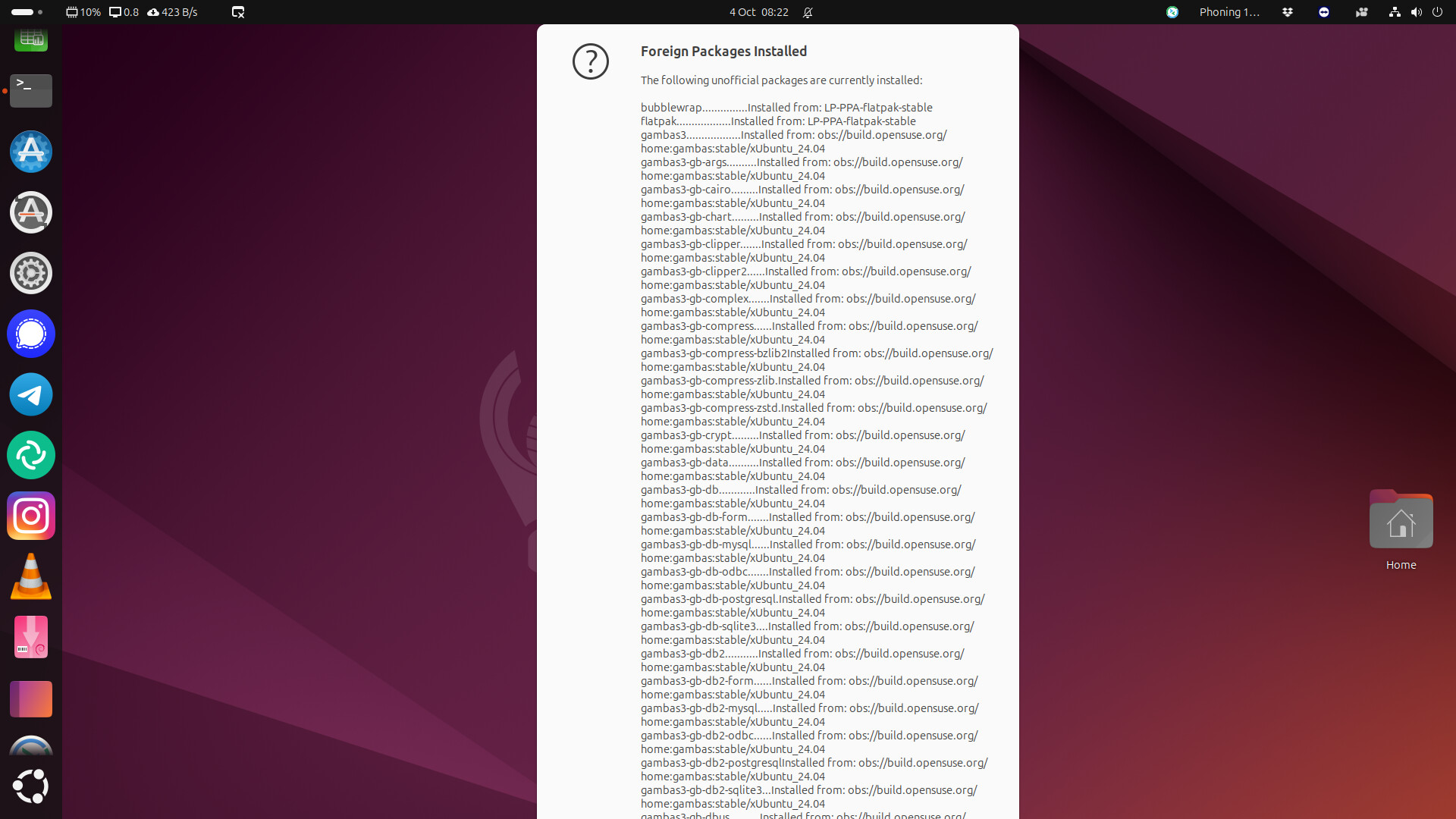
The title almost says it all. This happens on attempted upgrade from Noble to Resolute. Since I can’t scroll down the list, when I press the Enter key: the Software Updater / Release Upgrader restores to previous state.
Relevant System Information
I think that the reason that there are so many Foreign Packages is due to my using a repo for Gambas3 (RAD tools) due to Ubuntu Noble supplying an out of date version of Gambas3 which leads to my apps developed in Gambas not compiling. There are many packages in Gambas3. I’ve recorded this as a bug (2169452) in Launchpad.
Hello , once you switch to text mode with sudo do-release-upgrade, does it let you safely manage or disable those third-party packages, or do you have to purge them before running the upgrade so things don’t break?
I didn’t actually do “sudo do-release-upgrade” because I suddenly got a prompt to do a software update. When I did so, it was effectively a release upgrade. With regard to 3rd party packages, there were problems with Dropbox, Teamviewer, Waydroid, Docker, Flatpak, Gambas3 & Wine. For most of them (i.e. Dropbox, Teamviewer, Waydroid, Docker, Flatpak) the Software Updater created copies (e.g. .save, .migrate, .disabled, distUpgrade): for each app I did: I found one of the above files where the Software Updater had commented the deb line and changed noble to resolute, did “sudo apt update” & “sudo apt upgrade” and checked the results were Ok.