Follow up on my last post: yesterday, the status icon showed 10 available updates. I took no action yesterday. In today’s episode of the update saga, the status icon initially displayed after login, apparently a carry over from yesterday. I looked for any update notifications by Apt Center or Gnome Software and there still are none. A short while later, the icon disappeared from the panel (possibly unattended upgrades ran?), then a bit later, reappeared again, informing that now 3 updates available. No other notifications show up. When ‘show updates’ in the status icons drop-down options is chosen, software updater opens, and 20 updates are shown (not 3). I installed those the 20 updates - these are .deb packages only.
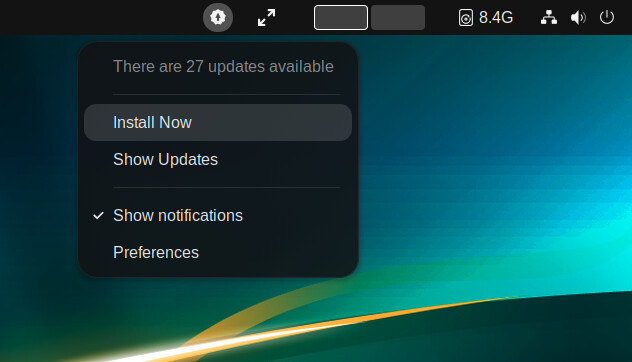
My updating practice has and continues to be wait for the status icon. Choose ‘Install now’ from the status icon drop down. That, together with unattended upgrades takes care of .deb packages. Flatpaks and snaps (as you note) are automatically updated, the former by gnome-software.
One more thing - I now question whether Software Updater actually updates snaps, even though it says in the output it is “updating snaps”. A manual check done afterwards with ‘sudo snap refresh’ found several snaps could be updated.
They are enabled (com.ubuntu.update-notifier no-show-notifications false or Show notifications in the tray icon menu).
No package management operation (installation/removal) is currently taking place.
There are pending security updates, unattended updates are disabled and update-manager was last time launched more than 12 hours ago. If unattended updates are enabled, it is assumed that security updates are installed automatically.
There are normal updates and update-manager was last time launched more than regular-auto-launch-interval days ago (7 days by default).
bor@resolute:~$ gsettings get com.ubuntu.update-notifier regular-auto-launch-interval
7
bor@resolute:~$ gsettings get com.ubuntu.update-manager launch-time
int64 1792326320
bor@resolute:~$
So, to summarize - in a default 26.04 installation where security updates are installed unattended you will see notifications at most once every 7 days. You can set the interval to -1 to force notifications immediately, as soon as updates are detected:
gsettings set com.ubuntu.update-notifier regular-auto-launch-interval -1
And, of course, the whole depends on the apt update being run regularly which is done by the apt-daily.timer. Unless your system is up when this timer triggers, no updates will ever be found.
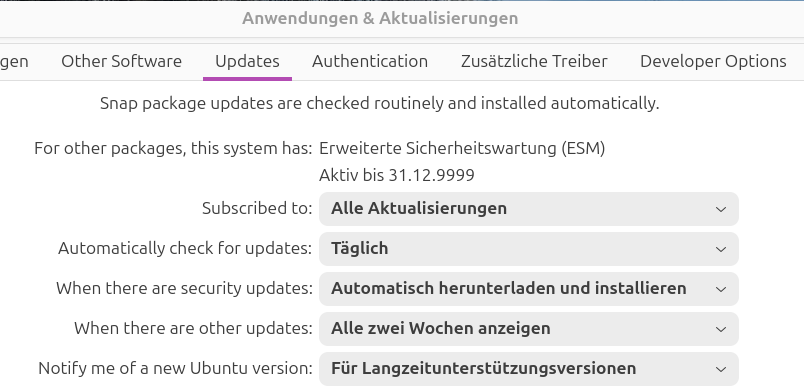
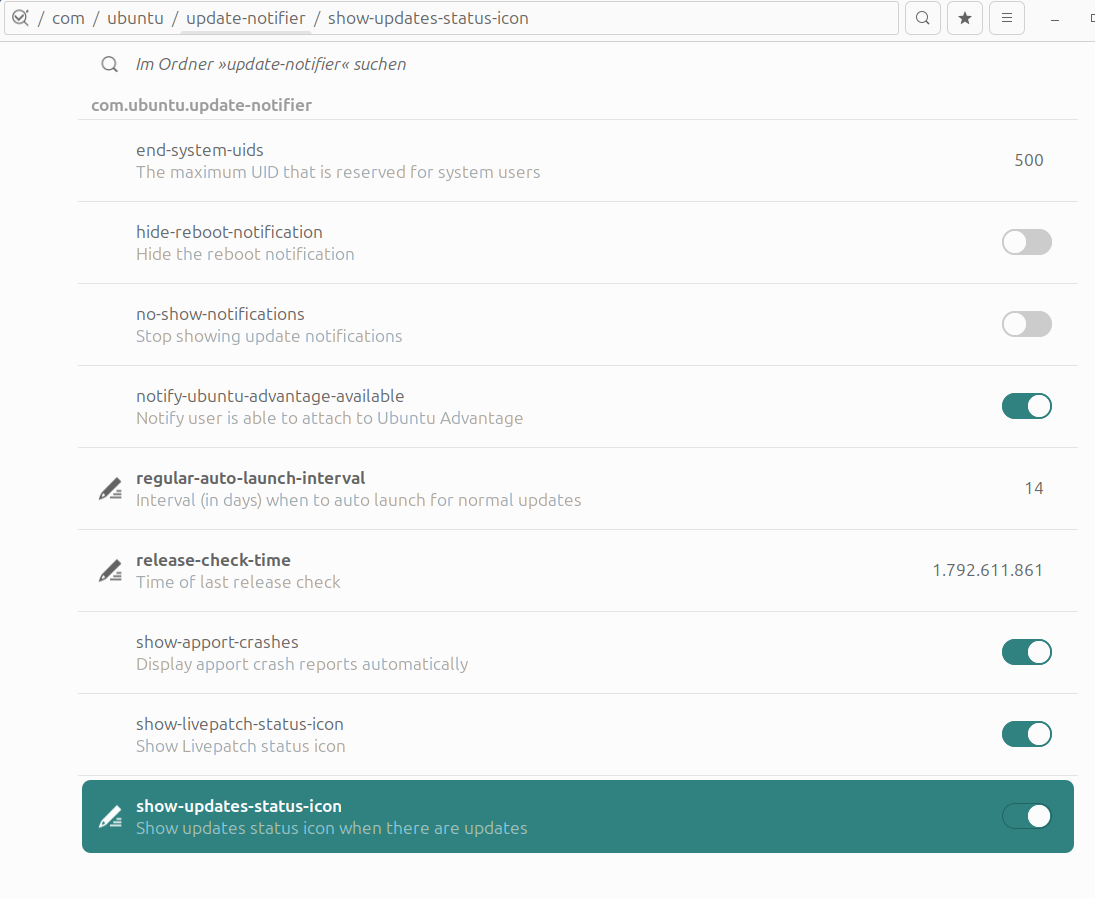
Thanks for the clarifications. I had all this done within software-properties-gtk. As stated for regular updates I have 14 days set, enough for me, every thing else was and is default. But without enabling show-updates-status-icon, I had no notifiactions about regular updates.
I’ve updated now after seeing the tray icon and also manually installed snap updates, since there were no notification in the drop down, after the 22th of Oct for chromium, which is weird again, because since yesterday there were new updates in app-center again, also another chromium.
And once again, there are users which don’t want to deal with the terminal, gsettings, dconf or don’t know that software-properties-gtk is gone and app-center has updates pending and needs attention.
Software-properties state that snaps are checked routinely and installed automatically, where I found the latter not true.
Regarding myself, since I now have updated everything and manually installed snaps, I’ve disabled show-updates-status-icon again, waiting two or three weeks if there is a notification about updates, will check via terminal and manually install snaps obviously. I also have to invest more time for friends not knowing about these subjects.
Yes, the system timers are interesting. To see them, run in terminal:
systemctl list-timers
to see the status of any named timer,
systemctl status name-of-timer
In my opinion, it would be better if the update check and notification took place immediately on login. Other distros do it that way. No waiting or wondering.
Since default is set to check for updates daily, apt-daily-upgrade triggers here in 17h
Trigger: Sun 2026-10-25 06:42:51 CET; 17h left
which is fine with me.
immediately on login
My uptime can be weeks without login, so I only expect daily checks for updates in the background and notifications from app-center and apt about regular updates.
The subject who, how and where is notifying is obviously a matter of transparency which should finally support and not confuse the target user.
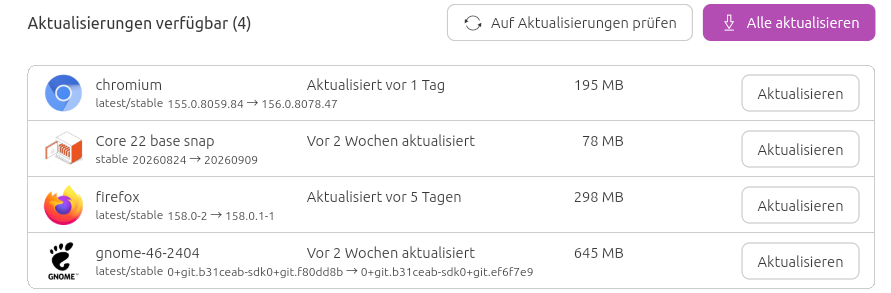
All of the updates shown by your App Center images are Snap packages.
App Center on my computer is doing the same, over the past three days of scrutiny. No .deb packages, only Snaps. Yet the update status icon check (or apt update) has revealed a number of upgradable .deb packages over the same time period.
I then look at App Center > Manage. Even clicking the “Check for Updates” button does not show any of the .deb packages - only snaps. And in my case, there has been no notification in the notification area from Apt Center. These are preliminary observations, could be wrong, so need more checking over time.
My settings in dconf-editor are the same as yours.
Update - later in the same day:
Used another 26.04 installation that is in a virtual machine.
First, i ran sudo apt update; it shows 77 updates available.
The status icon appears a minute later. also 77 updates available.
Then, I opened Apt Center > Manage. clicked “check for updates” - it shows 7, of which 2 are NOT snaps, so my conjecture about failing to find .debs is false. But why does it miss the other 75 .deb packages? I decided not to update anything - I will check again in next few days to see if App Center can do better and find more .deb files.
One day later: (final comment) App Center > Manage > “check for updates” now shows 6 (4 snap, 2 deb). The status icon now shows 28. 77-28=49 were upgraded by unattended-upgrades (verified by log entry). I will upgrade the remaining 28 later today from the “Install now” drop down option.
Final observation: Since snaps are automatically upgraded by the snap system, why does App Center show snap updates?)
“The App Center showcases featured and popular applications with useful descriptions, ratings, and
screenshots. Apps can be found either through browsing categories or by searching. The App Center can also be used to update apps, switch channels, and view and submit ratings. In older Ubuntu releases, the App Center is called Snap Store and is based on GNOME Software.”
Today was a message in the dropdown that I need to restart, history.log says there have been unattended upgrades of the kernel. There was also a restart symbol in the panel on the right.
Since my last post app-center management had cups to refresh and since about a week firefox.
Cups was unattended refreshed two days ago and I’ve updated firefox now manually. Maybe I should wait longer according to the article about refresh awareness to get some noise from app-center. As described in the article there was no desktop notification for firefox, while running every day.
For me, App Center has not proved reliable for keeping my system up to date. It never shows notifications of available updates. Only “Software” does that, when the status icon simultaneously appears (see screenshot in post #11). I could use “Software” to do the updates, but I just choose “install now” from the status icon’s drop down (below), which initiates Software Updater. That takes care of .deb packages. The other package types, snap and flatpak, are self-updating, which happens in the background.
If you mean “GNOME Software” - your screenshot shows the Ubuntu update-notifier, not the GNOME Software. GNOME Software is not even installed on Ubuntu by default.
Thanks for the update. I’ve updated snapd and chromium yesterday manually. Now again there is a firefox version to update, but this time I’ll do nothing and wait what happens.