As outcome from this topic https://discourse.ubuntu.com/t/snap-store-dock-icon-does-not-show-when-there-are-updates
I found the release note from 26.04 doesn’t match with current behaviour.
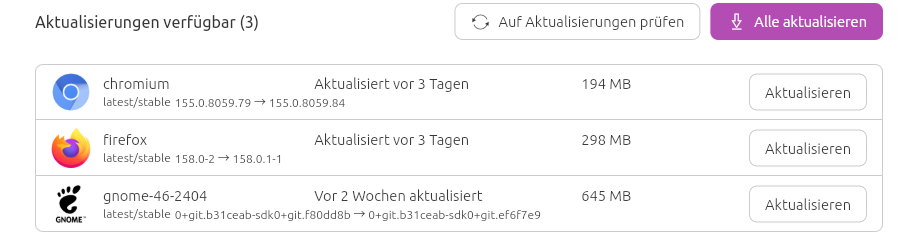
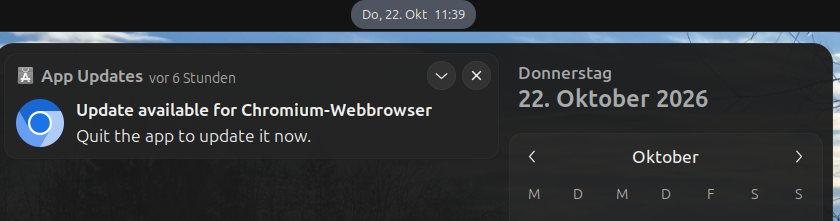
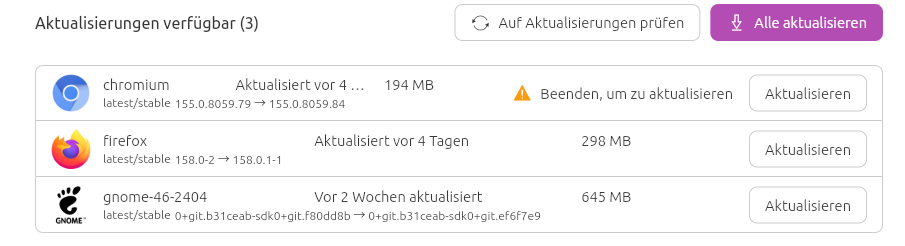
There were updates displayed from firefox and chromium without a notification, which I then installed after waiting a view days for the notification.
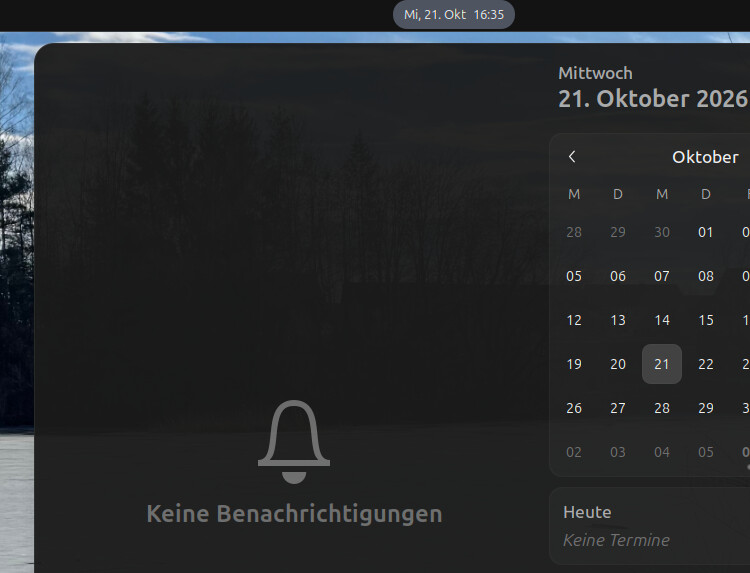
Now again app-center management shows updates, but no notification yet. They were displayed in 24.04 LTS in the top message bar from the calendar.
The difference is, that I had not gnome-software installed in 24.04, which I have now and software-center pops up when there are system updates. But it asks to restart every time, so I’ve purged gnome-software and with autoremove gnome-software-common to see if that changes anything.
I have software-properties-gtk installed which settings are unattended upgrades for security updates and every two weeks notifying about other updates.
Terminal output shows 17 packages, three of them ready to install, rest pending.
Question, what are the new release update notifications connected with?
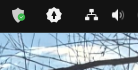
The notification (on top gnome panel) which first appeared in Ubuntu 25.10 is generated from checks by the apt package manager for .deb package updates (see screenshot - it’s on the left). I don’t think it appears for snap updates, since apt does not manage snaps. When you click on that icon and select “update now” it opens Software Updater, which updates the deb applications and then triggers a check (by snap) for any snap updates and (maybe) installs them too.
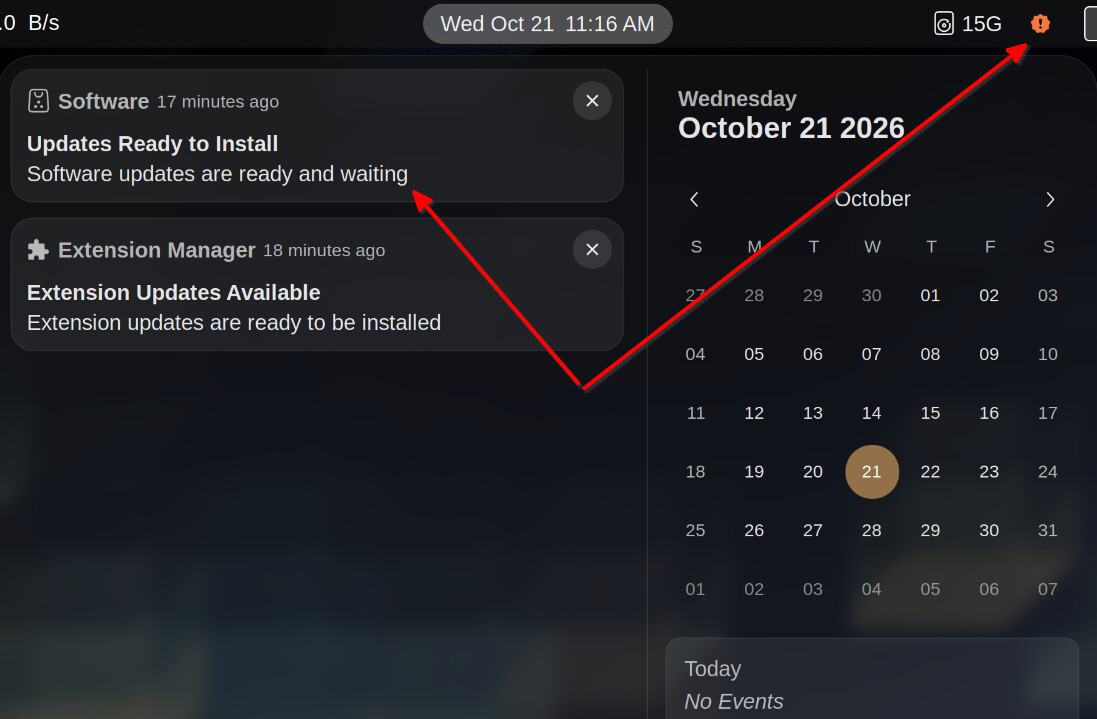
What you show on the screenshot is not notification - it is systray icon that is disabled by default (the com.ubuntu.update-notifier show-updates-status-icon). Notifications appear in the middle below clock and should appear independently.
As shown in the first OP screenshot there are Debian packages updates.
Personally I have seen the actual notification just once. I do see tray icon now after I have enabled it and adjusted apt-daily.timer to trigger immediately after VM is booted.
I will say at the outset, that I consider App Centre behaviour in Ubuntu 26.04 LTS to be a design feature and not a bug as some have been referring to your observations.
Software Updater and App Centre are two completely different programs. An announcement about the behaviour of Software Updater will not apply to the behaviour of App Centre.
The two programs overlap in one area and that is they both refresh snap packaged applications. Software Updater does not Find, Install and Delete Debian packaged applications. App Centre now does all three.
Software Updater updates Debian packaged applications. I have yet to see App Centre update even one Debian package. I use Software Updater or the Terminal to manage the updating of Debian packages.
Thanks, but I never had a systray icon displayed here since years. Normal updates showed up directly in software updater. Now I have nothing but to check via terminal obviously or install dconf to activate the icon in systray. That is not what a GUI user actually should have to do right?
I did not find some packages in App Centre that is why I installed gnome-software, but as said above, it forced to restart in order to install updates, so I purged it.
As my screenshot above shows firefox and chromium can be installed, but I don’t get notified about, I need to open app centre to check management. In 24.04 I received notifications that I should close the app to install it. That is not the case anymore, I have to check manually and install manually.
Agreed. Sorry - I assumed incorrectly that for 26.04 the icon notification would have been changed to enabled by default. There was a discussion here about it a year ago when 15.10 released. In my opinion, it should be enabled by default.
I do in-place upgrades, so mine remained enabled from 25.10.
As I recall before 25.10, the Software Update launcher did appear in the dock, or in some releases just opened a window automatically.
I just noticed that there are actually dual notifications for updates. See the screenshot. There was no pop-up notification, however. I had to open the notification drop-down to see the text notification. Ubuntu 26.04.
Please, do not confuse others. “Notifications” are on the left side of your screenshot. On the right side is the tray icon. “Tray icon” is not “notification” even if it draws your attention. “Notification” has quite precise technical meaning in this context. Mixing two completely different things will just make it harder for everyone to understand the actual problem.
There is no explicit settings to enable notifications. There is the setting to enable tray icon and it is off by default in 26.04. Notification should appear even if tray icon is off.
The question is if app-center in 26.04 is expected to notify about updates in the same way it did in 24.04, in the message space from the dropdown of the panel?
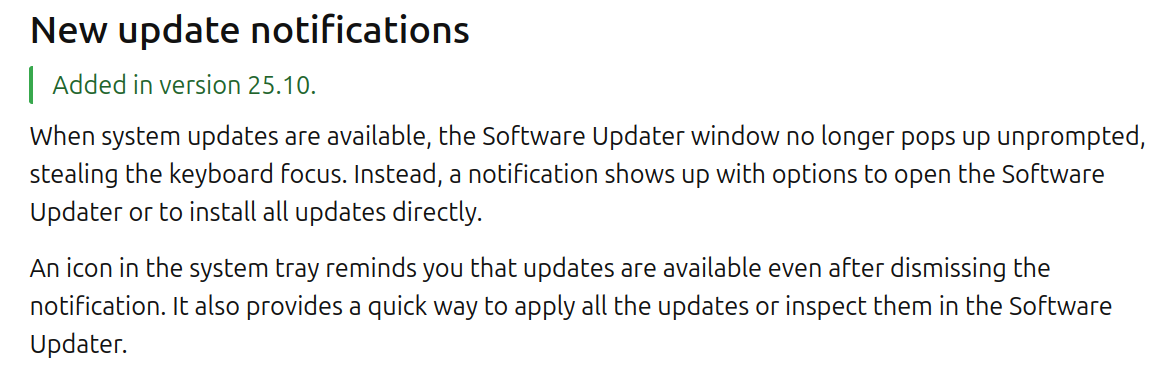
The release notes (screenshot above) say ‘instead, a notification shows up’, the question is where? The system tray icon is actually the reminder that there was a notification. But when I don’t have the notifiere enabled in dconf and also no notification showing up, I need to check manually via software-properties-gtk, which is not included in 26.04, via terminal and via app-center management to update the system properly. Just to understand this right, where is the enhancement?
Very interesting, I have neither one of them notifying me of updates. The drop-down actually notified me of updates of firefox and chromium from app-center. In the meantime I’ve activated “show-updates-status-icon” in dconf. I wasn’t expecting to manually check all the different apps to update after upgrading to 26.04.
I have never noticed any notification sent by App Center. But, I do see notifications from Gnome Software (see the image in my previous post where “Software” is shown as the notification source).
Gnome Software was installed when Flatpak support was set up in Ubuntu.
As mentioned, yesterday I’ve activated “show-updates-status-icon” in dconf to show up.
Today I now have an icon in the systray and also a message in notification drop down to update chromium, although app-center says there is still firefox to update, weird.
Without tray icon how to know there are updates, say not knowing how to use the terminal and enabling “show-updates-status-icon”.
As stated, there was no tray icon and no notifications in the drop down, although there were updates in the line. That’s why the post was in the first place.
Just to be certain, I think you mean you turned on “show-updates-status-icon”?
I see you got a notification in the drop-down. I will look next time to see of one appears for me. More often, I just click the icon notice to start updating and that’s all.
I also had a “conversation” with Gemini about this whole affair. It says this about the icon:
“apt itself does not place the icon on your panel. Instead, a dedicated desktop helper utility—typically a background daemon named update-notifier—watches for changes to those package lists. When updates are found, update-notifier sends a signal to your panel/top bar to display the alert icon (or a badge count).”
also Gemini states:
“[the tray icon] is definitely considered a notification. More specifically, it is a persistent status notification (often called an update indicator or tray notification).”
and
“The relationship between this icon and “notifications” was highlighted in Ubuntu 26.04 LTS. In that release, developers intentionally turned off the panel icon (show-updates-status-icon) by default. Because the icon daemon was silenced, a bug caused the operating system to stop sending any desktop notification popups for regular package updates.”
Follow up on last post: the icon just popped up - there are 10 updates. Now to test for the App-Center notification. Nothing from Apt Center shows immediately. I will delay the updating to see how long it takes.
Thanks for asking and Yes. Also corrected the wording.
dpkg -l update*
ii update-inetd 4.54build1 all inetd configuration file updater
ii update-manager 1:26.04.5 all GNOME application that manages apt updates
ii update-manager-core 1:26.04.5 all manage release upgrades
ii update-notifier 3.207.2 amd64 Daemon which notifies about package updates
ii update-notifier-common 3.207.2 all Files shared between update-notifier and other packages
I wonder if this
Files shared between update-notifier and other packages
also includes app-center. I guess no, as I found this
An update can be postponed for up to 14 days for a running application. The update will be either applied when the application closes, during next automatic refresh occurs without the application running, or after 14 days even if the application remains active.
Regarding how app-center informs about updates, chatgpt referred to this and the former post and offered to write me a script for systemd in case I want to get a desktop notification for every update without installing it automatically. It also said there is no general setting that all snap updates are reliable show a desktop notification.
I found the refresh awareness documentation shades more light on this subject.