We’re excited to announce Multipass 1.17, a major feature release that brings new ways to experiment with cloud-like environments locally, expands support for Linux distributions beyond Ubuntu, and takes significant steps forward in how Multipass runs on Windows and macOS.
Whether you’re developing software, testing across Linux distributions, or experimenting with multi-machine environments, this release has something for you.
Simulate cloud environments locally with Availability Zones
One of the highlights of Multipass 1.17 is Availability Zones. You can now organize virtual machines into one of three predefined zones, each with its own isolated subnet, to experiment with cloud-like environments on your own machine.
Launch an instance in a specific zone:
multipass launch --zone <zone-name>
List the available zones and their status:
multipass zones
You can also enable and disable zones:
multipass disable-zones <zone-name>
multipass enable-zones <zone-name>
Disabling a zone lets you simulate a loss of availability: instances in that zone are unplugged and marked as unavailable. This gives you a practical way to explore how applications and distributed environments behave when part of the infrastructure becomes inaccessible.
Availability Zones are supported on Linux and macOS using the QEMU driver, the new Apple Virtualization framework backend on macOS, and the HCS backend on Windows.
When upgrading to Multipass 1.17, existing instances are automatically placed into zone 1.
This is an exciting step toward using Multipass as a local cloud simulation environment. We’d love to hear what scenarios you’d like to explore with it.
Debian and Fedora: more Linux environments to explore
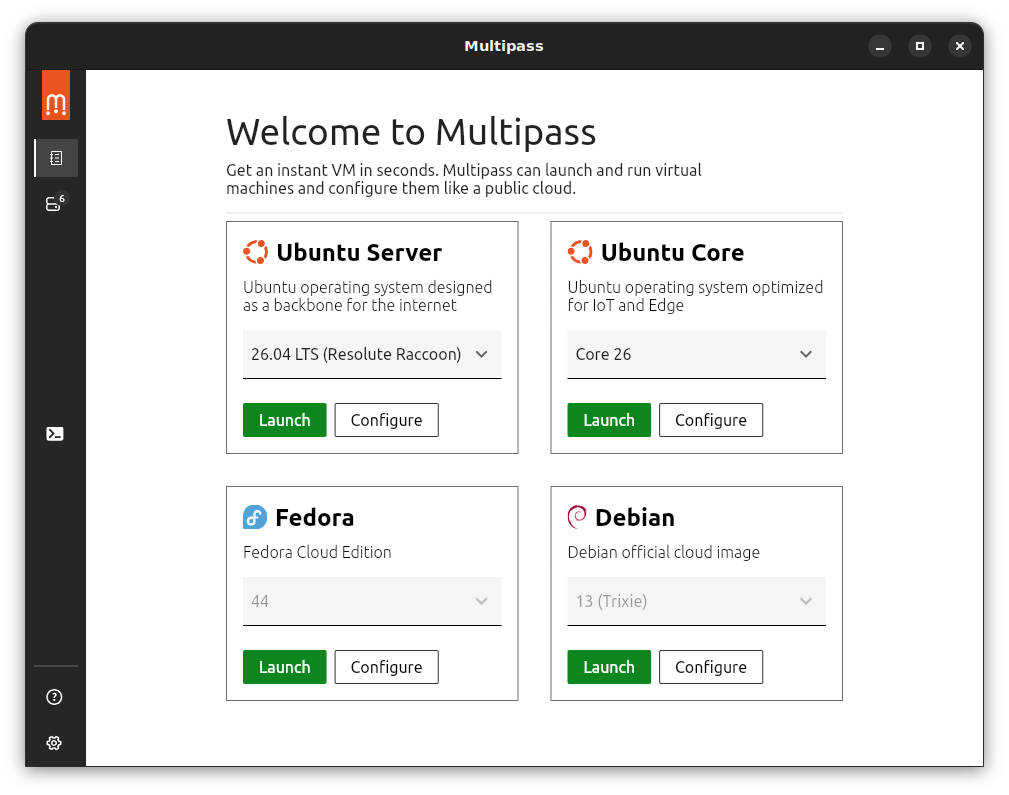
Multipass 1.17 introduces built-in support for Debian and Fedora cloud images, alongside Ubuntu, making it easier to test applications across distributions without setting up a separate virtualization workflow.
Building on the custom image support introduced in the previous release, this opens the door to more Linux environments as development and experimentation playgrounds. Would support for additional distributions be useful to you? We’d welcome your feedback as we consider where to take this next.
A new Windows driver that works across all editions
On Windows, Multipass 1.17 introduces a new default driver built on the Windows Host Compute System (HCS) APIs.
The new driver replaces the previous Hyper-V-based integration with a more native foundation. Most importantly, it works across all editions of Windows, including Windows Home! This change also means that the previous Hyper-V and VirtualBox drivers on Windows are being deprecated.
If you already use Multipass with Hyper-V, a migration path is available to move your existing virtual machines to the new driver. For existing VirtualBox instances, no automatic migration path is planned, but you can continue to use VirtualBox instances in this release and manually move data and setup over to the new backend.
A preview of the future on macOS
Multipass 1.17 also introduces a preview of a new macOS driver based on Apple’s Virtualization framework. Available on all Mac variants, the new driver offers faster startup and native ASIF disk image support on macOS 26.
The driver is still in preview, and not all Multipass features are supported yet. QEMU remains available as the default on macOS, while VirtualBox continues to be supported on Intel Macs. Our longer-term direction is to make Apple’s Virtualization framework the default macOS driver once it supports all Multipass features, eventually retiring the other drivers.
A more polished GUI and useful CLI improvements
Alongside the major features above, this release includes improvements that make everyday use and automation smoother.
For GUI users, the improvements include
-
A redesigned image catalogue that groups releases by operating system.
-
The latest Ubuntu LTS release is selected by default.
-
Memory and disk size sliders that adapt to the selected image type.
-
A terminal that remembers its font size and offers a “Select All” context-menu entry.
-
Version information in the About section of Settings.
For CLI users and automation, Multipass 1.17 also brings
-
A new multipass wait-ready command to wait until the daemon or service is ready before issuing CLI commands.
-
Support for cloud-init rebooting instances during initialization.
-
Correct propagation of the exit code from commands run with multipass exec.
-
Improved client-daemon certificate handling and clearer client authentication errors.
-
Higher minimum resources for new instances: 512 MiB of memory and 1 GiB of disk, helping prevent silent cloud-init failures caused by undersized instances.
More architectures: IBM POWER and IBM Z
Multipass now builds and runs on Linux systems using two additional CPU architectures:
- ppc64el - IBM Power
- s390x - IBM Z
Official snaps are available for both architectures, extending Multipass to more environments and hardware platforms.
Important changes when upgrading
Multipass 1.17 completes the deprecation cycle announced in 1.16. The following functionality has been removed:
-
Blueprints and appliances.
-
The LXD and libvirt drivers.
-
The deprecated
memshortcut for the--memoryoption. -
The deprecated
--alloption of multipass info.
A few changes may also affect existing scripts and integrations:
-
CLI exit codes: multipass shell and multipass exec propagate the exit code of the command run inside the instance. Exit code 255 is reserved for Multipass failures.
-
Mount paths: Target paths are normalized before use, including trimming trailing slashes.
-
JSON output: Key ordering in --format json output is no longer guaranteed. Scripts should not rely on a particular key order.
Please review these changes before upgrading if you depend on the removed functionality or behaviours.
And a big “Thank You” to our contributors
Multipass is an open-source project, and contributions from the community help make each release possible. A special thank-you to everyone making their first contribution in this release:
Thank you all for contributing to Multipass!
Get Multipass 1.17 and share your feedback
Explore the new features, try them in your own workflows, and let us know what you think. In particular, we’d love to hear about
-
What would you use Availability Zones to simulate or test?
-
Would built-in support for additional Linux distributions be valuable to you?
-
How does the new Windows driver and the macOS preview fit your workflow?
-
What would you like to see in future Multipass releases?
Read more about Multipass and get in touch with us:
Thanks for being part of the Multipass community. We look forward to hearing what you build, test, and discover with 1.17!
Happy hacking!