Had a look, and it’s a bit more specific than the whole queue being stuck.
The LTS branches are still building fine. 6.18.56 landed earlier today, and 6.12.112, 6.6.158, 6.1.189, 5.15.222 and 5.10.271 all went up on 3 October. The dashboard is still updating too.
What has stopped is anything newer:
Nothing after v7.3-rc3 or v7.2.6, both from 14 September
daily, drm-tip, drm-intel-next and drm-intel-nightly last updated on 17 September
So it looks like whatever handles the newest tree has fallen over. The longterm builds are fine.
Also worth repeating, as the kernel team regularly does: mainline builds are unsupported, get no security updates, and nobody actively monitors them, so they can stay broken for a while before anyone notices. Fine for testing, not something to depend on.
Sorry about that. I do appreciate all the work in maintaining Linux. One suggestion - can a notice be put up explaining the reason for the lack of updates.
I have two laptops running Linux Mint Cinnamon 22.3 and i tried 7.3.1 and 7.4 rc1. Both showed fatal errors when installing. I tried the pre-built-kernels (website) and they installed without any problems.
I believe the latest mainline kernels uses newer versions of system security libraries like libssl4 which is not compatible with Linux Mint 22.3. Because of this I cannot test the latest kernels from mainline kernels.
Can confirm this too and suffering this too!
Our workaround is now using AI agents since the downtime , then incompatible tooling(run-parts, ssl and potentially in future more )
Motivation is to have more reliable laptop + server hibernation on encrpyted LUKS device like windows computer with Bitlocker - default ubuntu doesn’t support this (no default option for hibernation, no possibility to change swap size during installation Bug #2058511 “Disk Setup / Manual installation missing LVM LV as...” : Bugs : ubuntu-desktop-provision etc ) and ubuntu kernels are not suitable for that.
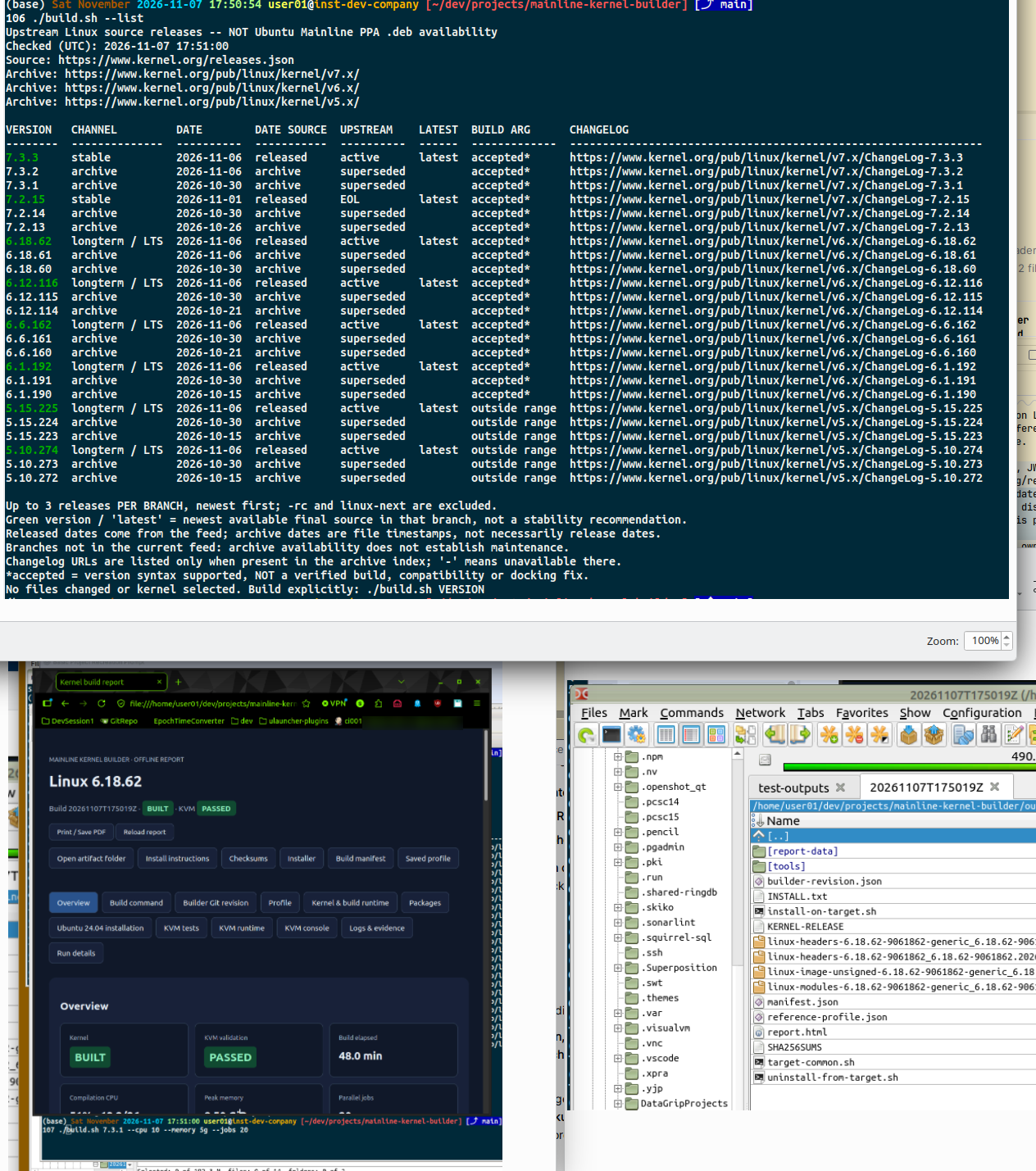
We resorted into building an kernel-mainline project with AI (Codex 6.1 Sol Ultra), which creates kernels in a dockerized enviroment using the older tooling, and also some verification tests like kvm kernel install test and basic repeated hibernation/sleep+resume tests and a nice directory with html report and the deb files which can be transferred to company laptops+servers.
And it works very well - and we never built kernels
Agent prompt is something like (abbreviated)
E.g
”Create a Docker-based Linux mainline kernel builder with a simple
./build.sh VERSION command.
Build Ubuntu Mainline-style amd64/generic Debian packages using verified
upstream sources, authenticated Canonical packaging/configuration and a
matching Ubuntu toolchain. Never customize the kernel for the build host
or container.
Laptops are a ThinkPad Z13 Gen 2, Ryzen 7 PRO 7840U, Radeon 780M, 64 GB RAM,
running Ubuntu 24.04-based KDE neon and servers with USV with 30min enough for reliable hibernation. Prioritize sleep, hibernation, resume
and laptops with daily reliable docking/undocking with Dell WD22TB4 docks at various locations (Home, Office1,Office2) with external 2x4K 43” @100dpi monitors conncted .
Testing mainline kernels on systems with older libssl is actually doable and not that difficult.
None of the library dependencies is linked by the kernel as far as I know. They only seem to be build-time dependencies or helper tool dependencies and their major version can be changed.
The only thing you need to do is unpack the deb, change the dependency version in debian/ folder and pack it again.
I’m using mainline kernels like this on Ubuntu 20.04. It needs more and more work, but it can still be done without compiling your own kernels.
This tool https://github.com/k3dar/kumk does some of the steps for you automatically. It hasn’t been updated for the libssl4 update yet, but it’s not difficult to change it.
Mainline build kernels are not supported and never receive security updates. Mainline build kernels are not suitable for production use. Remove them once you’ve finished testing. Support is not provided to users who are running mainline build kernels outside of diagnostic uses.
In other words, you should NOT be using these in production environments nor depending on them for anything.

 Warning