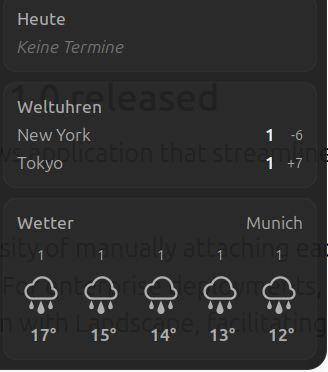
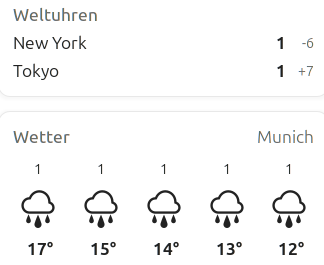
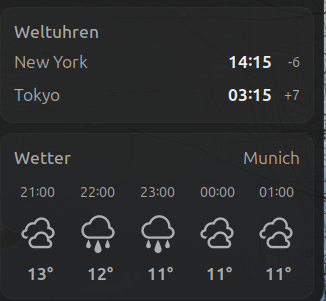
When open the calendar dropdown from the panel, world time and weather show placeholder instead of the time. Changing the theme does not help. This is a new installation with a kept /home on a separate partition. Nothing experimental installed. When I click on world time it opens a new window where it does show the time correctly. When open gnome-weather also shows hourly correct.
Looking at the screenshots, the panel calendar menu shows a literal “1” for New York, Tokyo, and the weather hours, while the timezone offsets and the temperatures look fine. The separate World Clocks window is OK, as you wrote.
@rubi1200’s locale / clock-format checks should help narrow this down.
Does the time in the top bar itself (not the dropdown) display correctly?
gsettings get org.gnome.desktop.interface clock-format
‘24h’
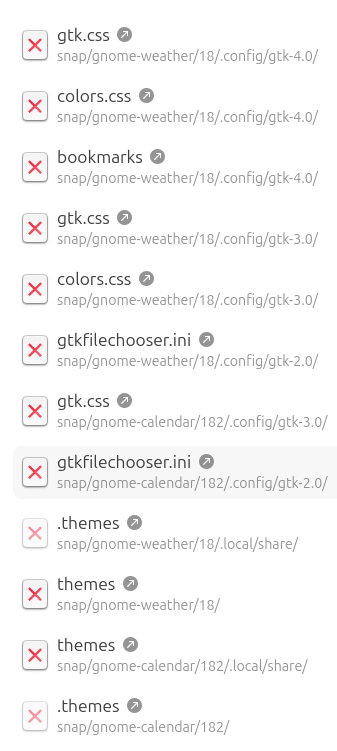
In the meantime I’ve moved folders gnome-weather, gnome-calendar in ~/snap, they and btw. also prompting client, have broken links missing data-dir/themes and broken links missing .css and bookmarks. e.g.
ls /home/USER/snap/prompting-client/current/.config/gtk-4.0 bookmarks colors.css gtk.css settings.ini
Then de- and reinstalled calendar, weather and clock with no change. After reinstalling there have been no new folders generated in ~/snap for weather and calendar. But everything works fine.