Hi everyone,
I’m the developer of GalleonCore, a free software project for the Corsair Galleon 100 SD keyboard’s built-in Stream Deck. I use it on Kubuntu and would welcome feedback from other Ubuntu users and contributors.
The goal is to make the integrated 12 LCD keys, display and two dials useful on Linux, with configurable application launchers, media controls, page layouts, wallpapers, widgets and screensavers. Bosun is the Qt 6/QML configuration application; a separate per-user daemon, galleond, handles the hardware. This is an independent community project, not affiliated with Corsair or Elgato. Full keyboard RGB control is outside its current scope.
Version 0.3.0 adds a persistent language selector (system language, English, French, German and Spanish), immediate translation of Bosun and its tray menu, and adaptive animated tabs that keep the selected title readable. Existing custom profiles are preserved.
Trying it on Ubuntu
The 0.3.0 release includes amd64 DEBs for Ubuntu 24.04 and 26.04. Download the matching file, open a terminal in its directory and use the appropriate command:
# Ubuntu 24.04 (Noble), amd64
sudo apt install ./galleoncore_0.3.0-1.noble_amd64.deb
# Ubuntu 26.04 (Resolute), amd64
sudo apt install ./galleoncore_0.3.0-1.resolute_amd64.deb
There is also a developer-maintained PPA. This is a third-party repository, not part of the official Ubuntu archive. At my check on October 31 it still offered 0.2.3-2; please check the candidate version rather than assuming the latest release is already there:
sudo add-apt-repository ppa:paulwoisard/galleoncore
sudo apt update
apt policy galleoncore
sudo apt install galleoncore
Launch galleon-bosun from your application menu or terminal. To enable the daemon at login, run these commands in your graphical session, without sudo:
systemctl --user daemon-reload
systemctl --user enable --now galleond.service
The packages include udev rules; reconnect the keyboard if access permissions have not taken effect. Linux gaming FPS integration uses MangoHud and needs separate setup. Hardware results can vary by firmware and desktop configuration, so reports from additional setups would help.
Contributions I’m looking for
- Testing on Ubuntu variants and different desktop sessions, with reproducible bug reports.
- C++/Qt and QML contributions, code review and regression tests.
- Packaging, installation documentation and accessibility/UX feedback.
- Native-speaker review of translations, especially German and Spanish.
For transparency, I use AI-assisted development. The repository includes automated tests and CI, alongside testing on my own keyboard; human review and testing on other hardware setups remain valuable. The application is GPL-3.0-or-later and libgalleon is LGPL-3.0-or-later.
Source code, documentation and issue tracker
Does anyone here own this keyboard, or want to help improve its Linux support? Feedback on the Ubuntu integration and useful first contribution tasks would be especially welcome.
Hardware examples
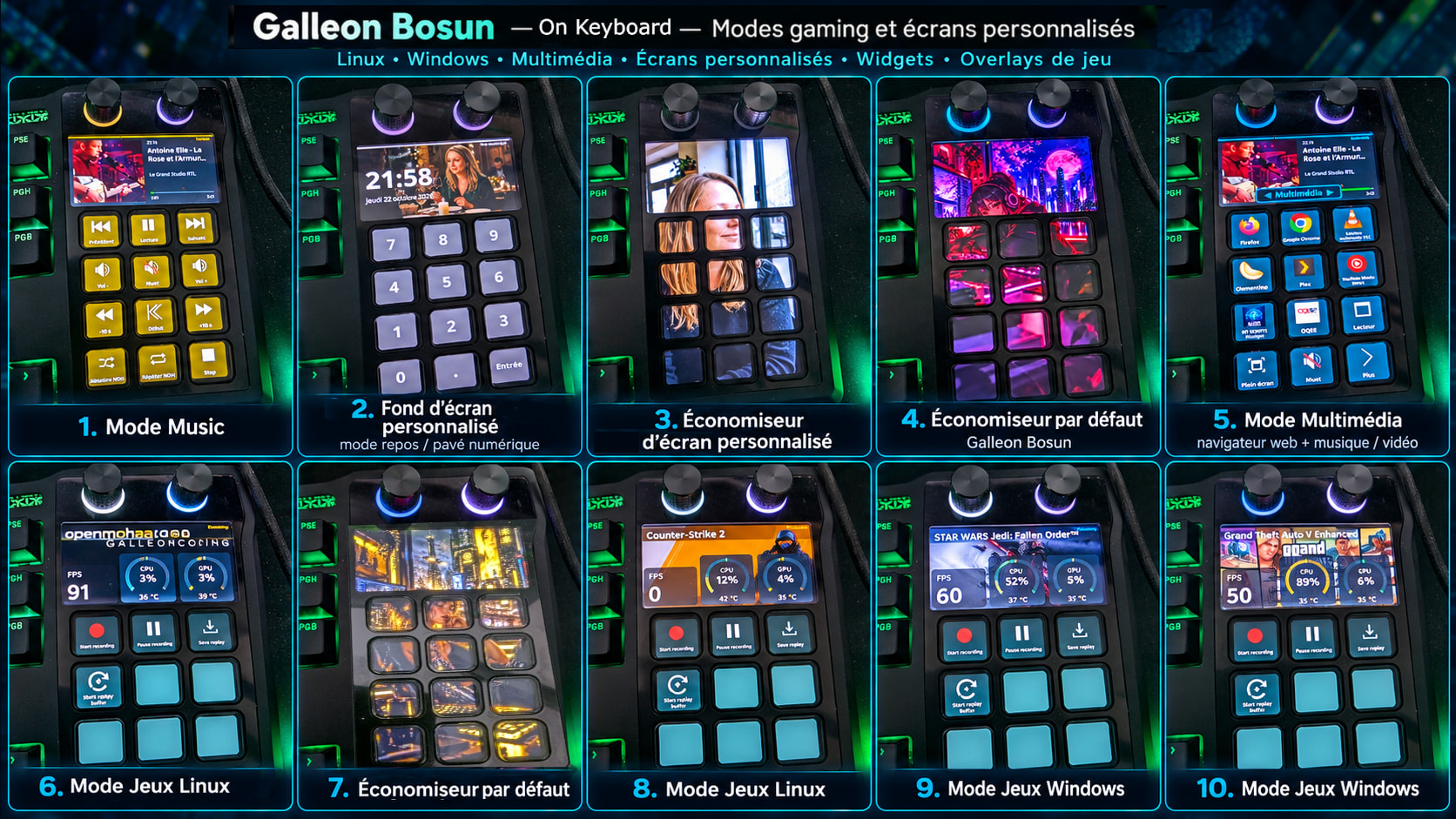
The photographs below show different configured modes on my keyboard; applications and artwork depend on the user’s setup. Some panels show Windows, which the project also supports.