I have an older computer (2014 or so) with a Gigabyte z87-g41 motherboard, a pny GTX 750 video card, and a Samsung EVO 840 120GB SSD harddrive.
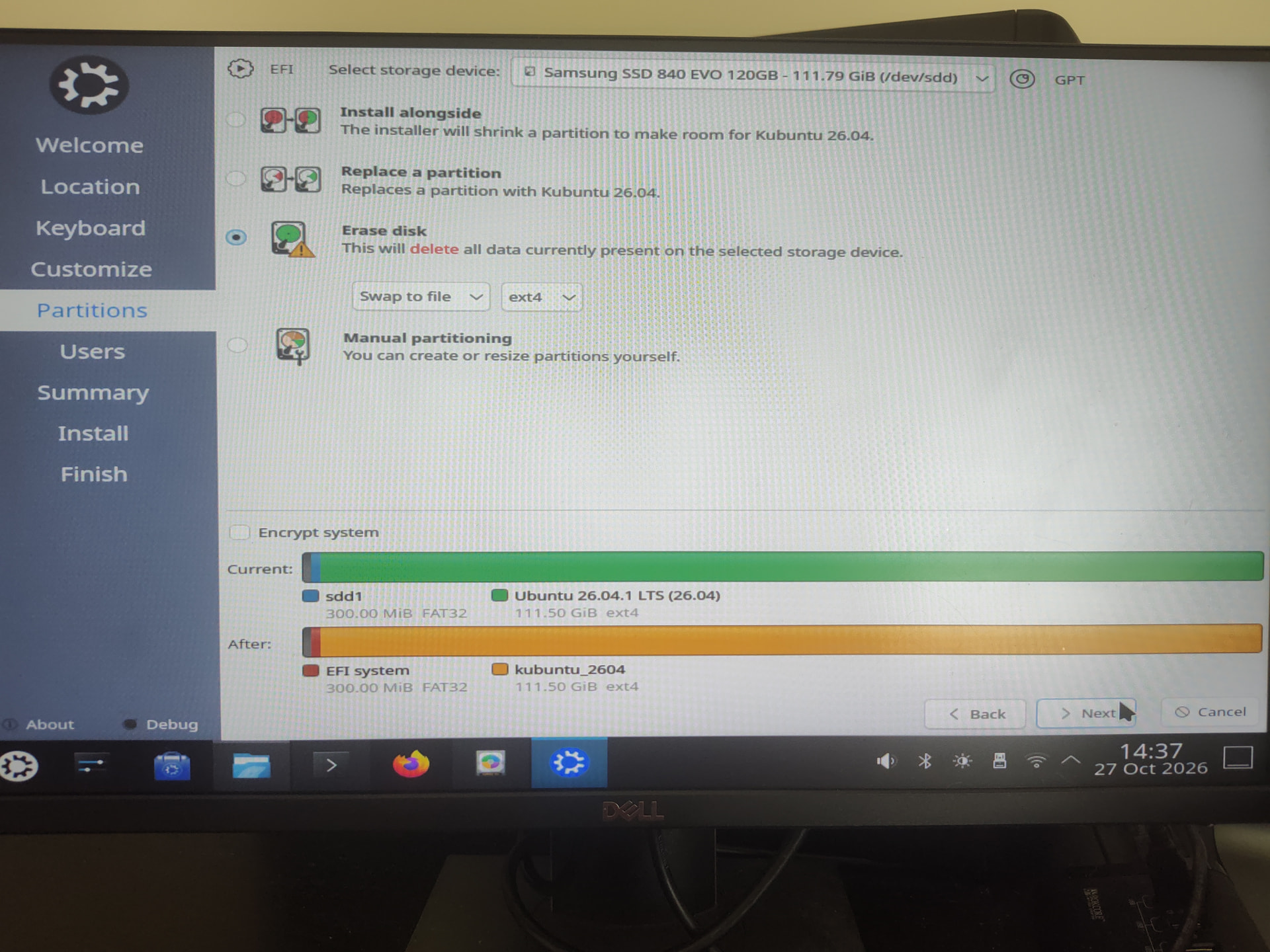
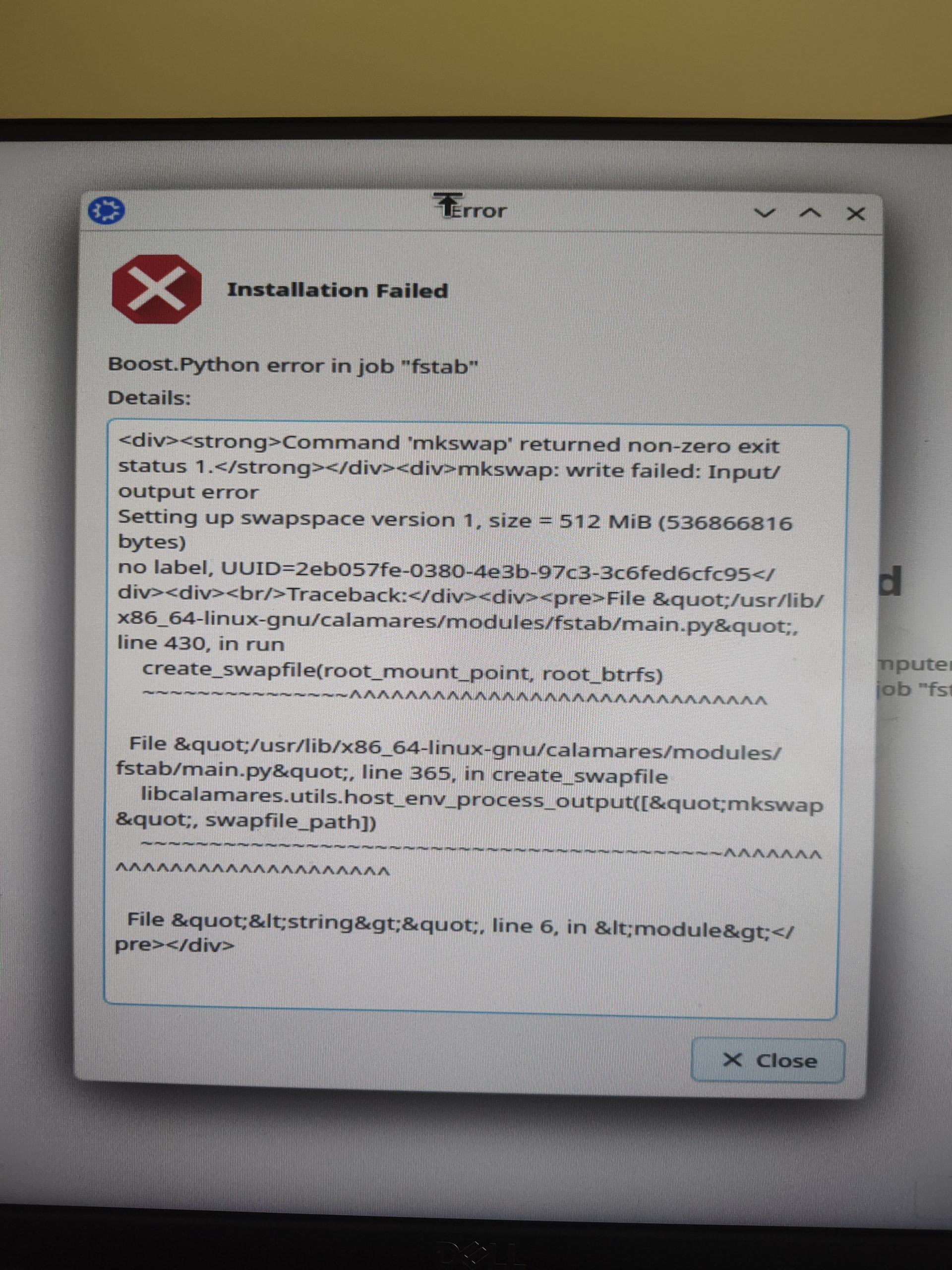
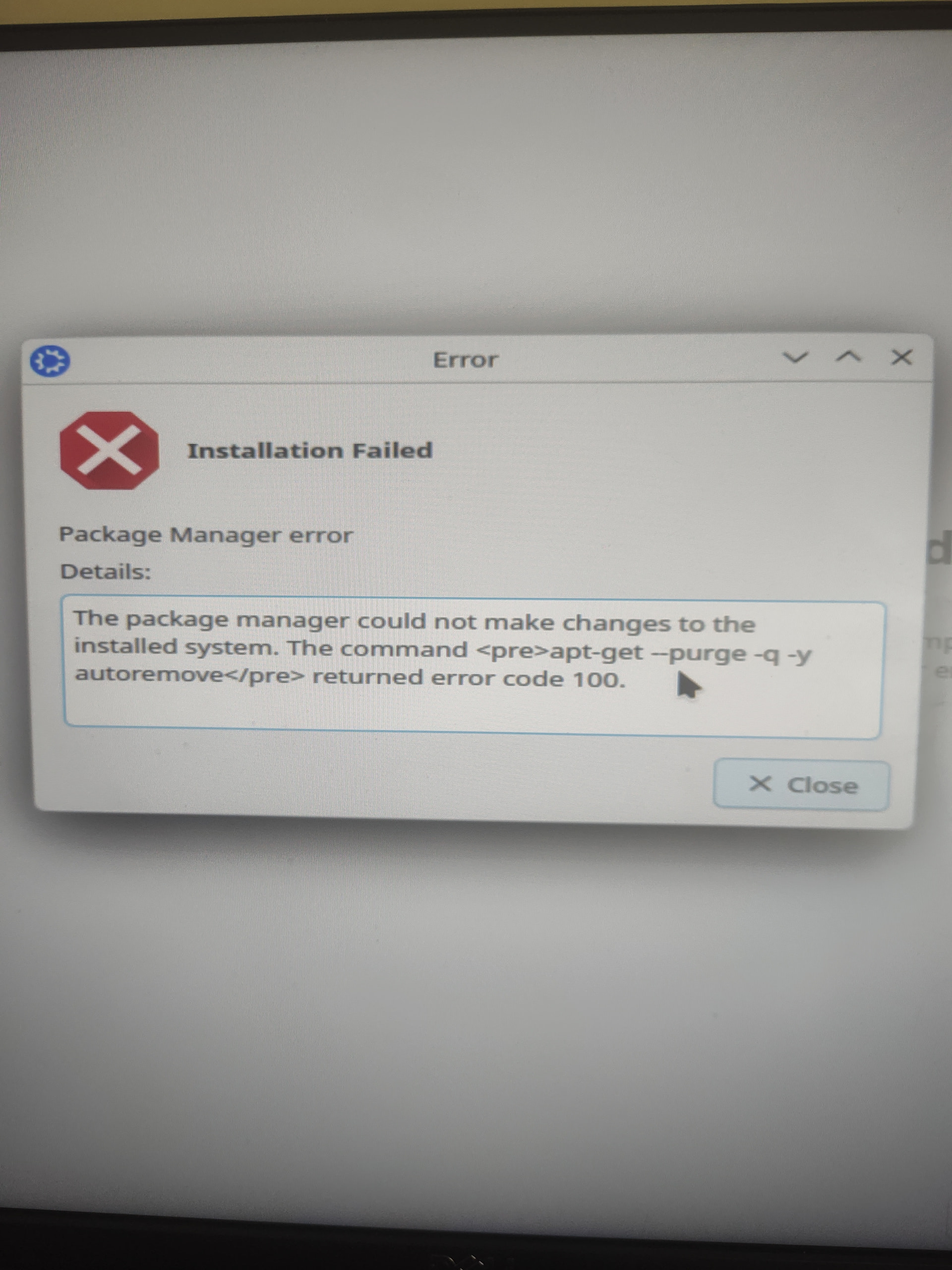
I am trying to install Kubuntu 26.04 from a Flash drive. The installation begins and I connect to the wifi and it then starts copying and downloading the files. I select to erase the disk and do a brand new installation:
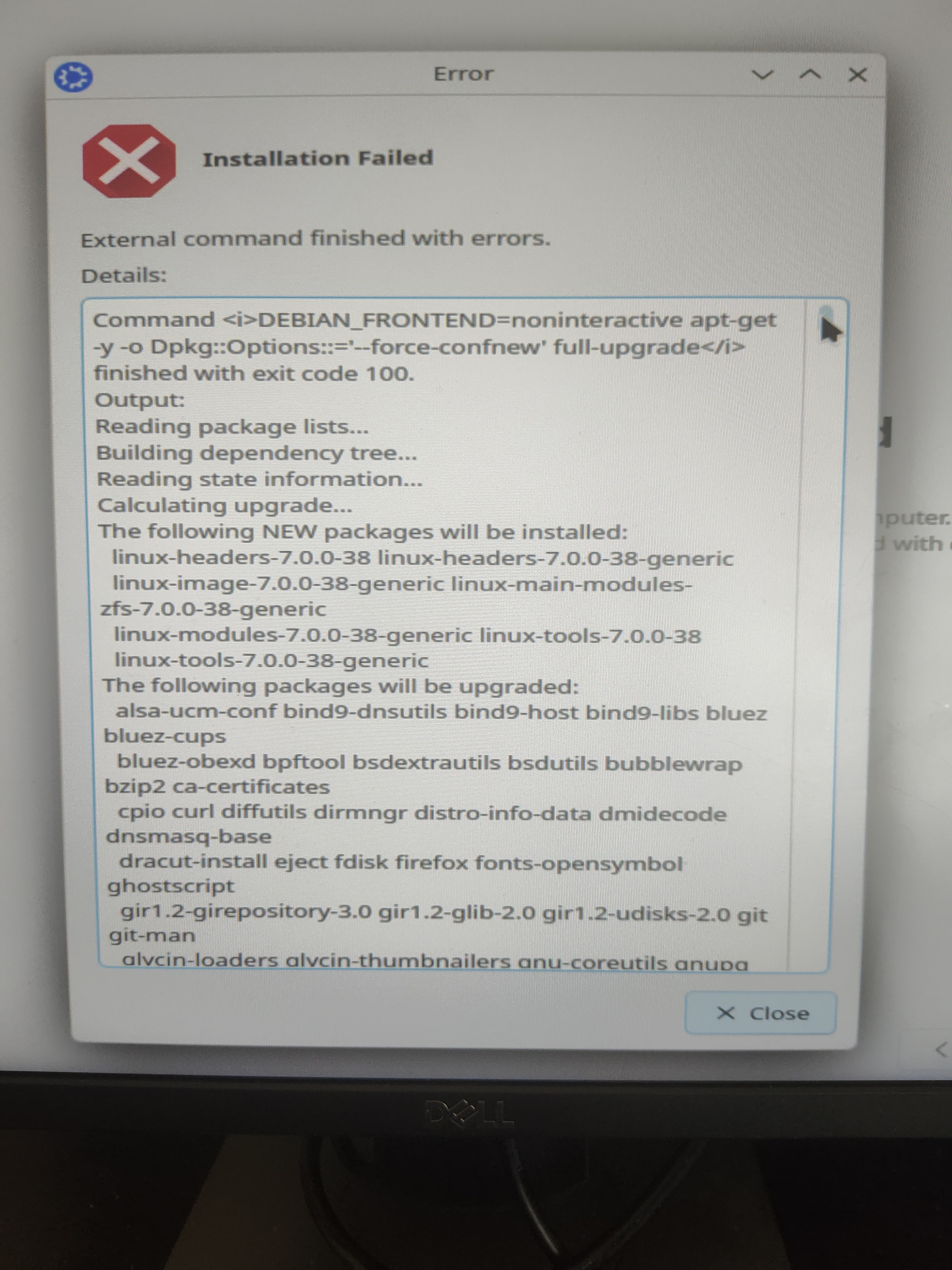
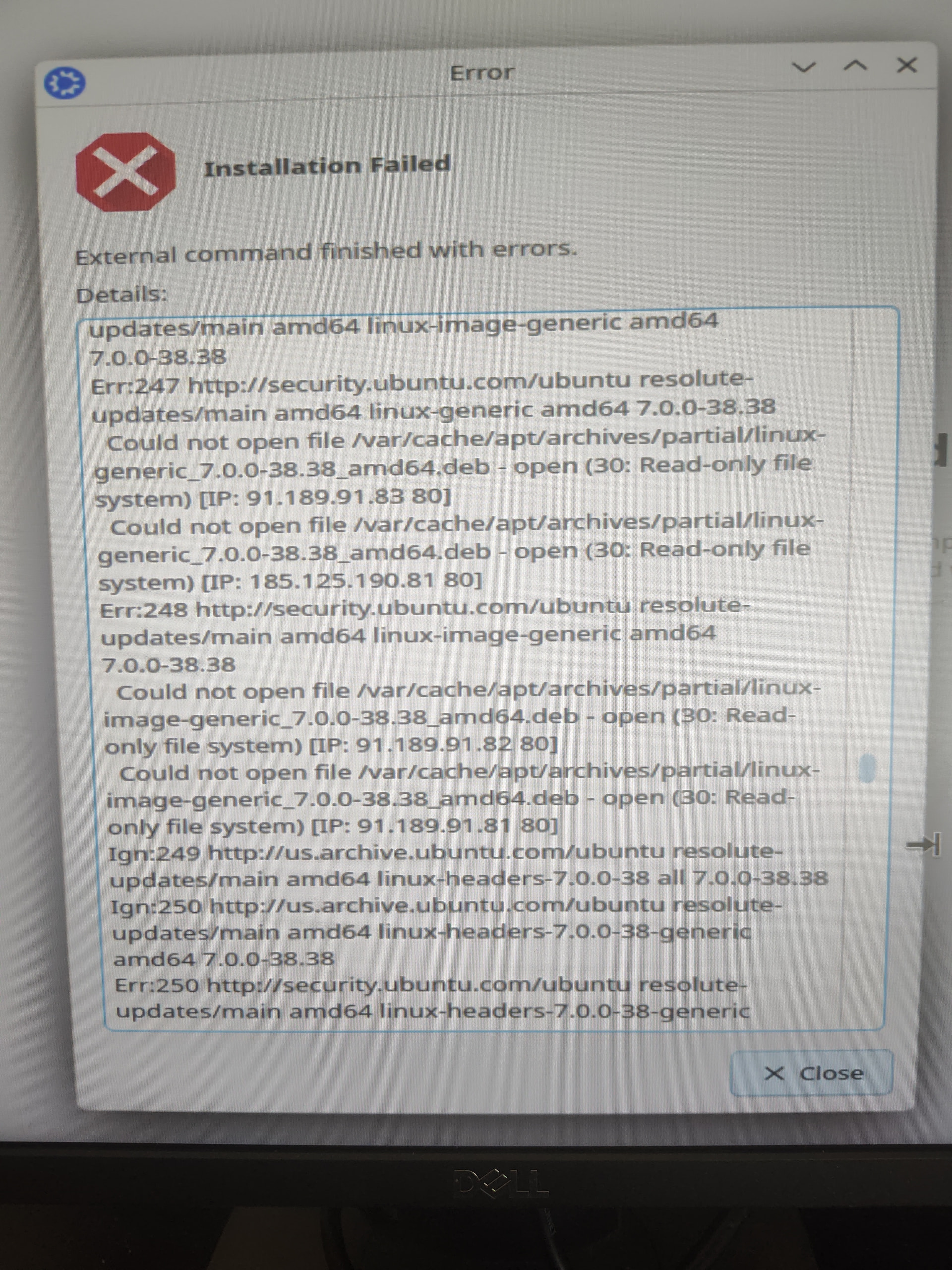
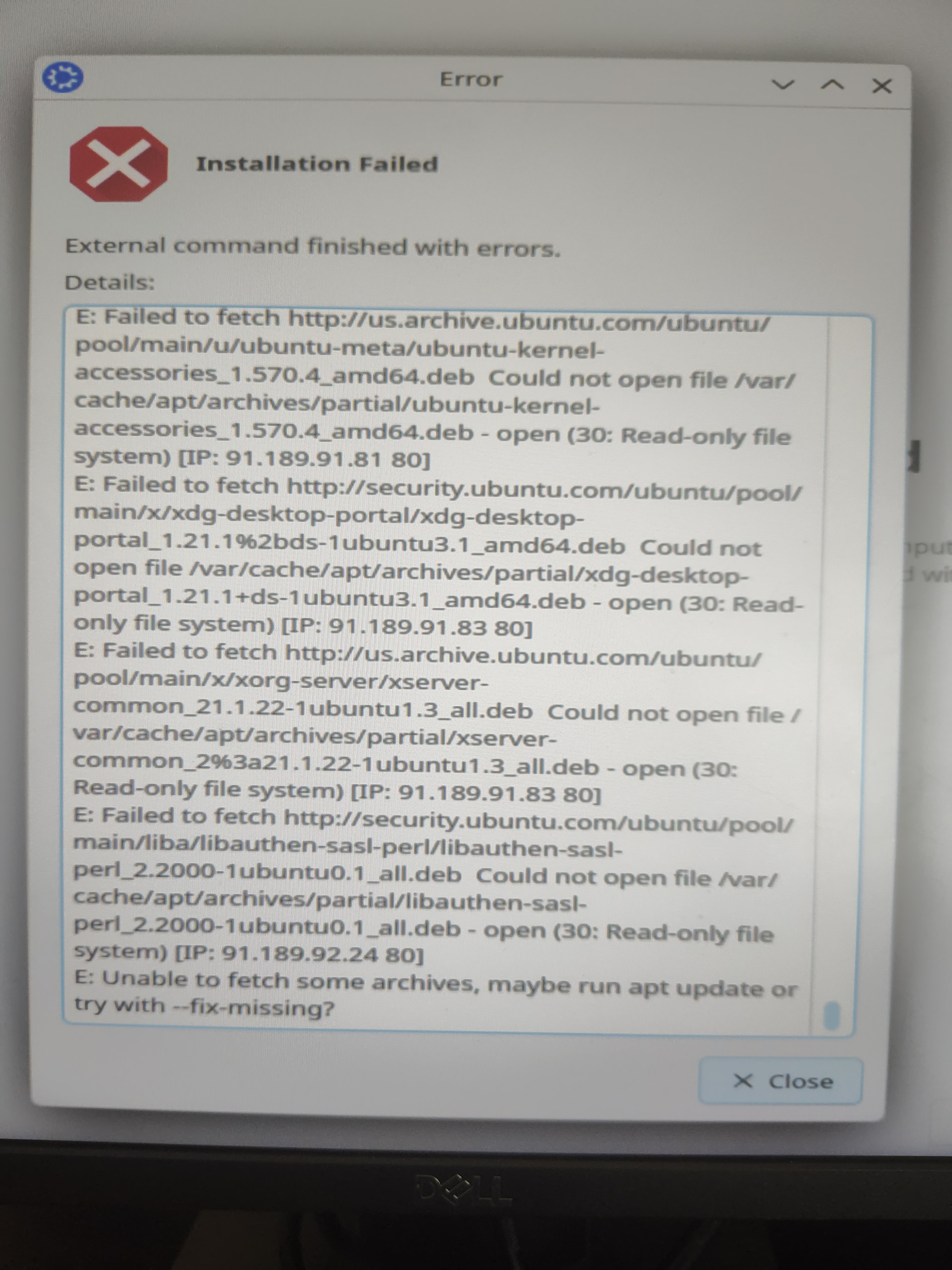
I then restarted the computer and tried again and got a much longer error. Here is the top of the error, the first line I saw that had an error, and the bottom:
Some of the messages in your post refer to upgrade when you are doing a new install. In addition to following the suggestions in post 2 above, when you do the install to sdd, do you select to Erase disk on each install and format the partition? There are several comments in your post show inability to make changes to the isntalled system which you should not be seeing on a new install just formatted. Are you using btrfs rather than the default ext4?
I see readonly filesystem errors which you should not have if you are installing a new system on a drive partition that has been just formatted.
The read-only file system stands out to me.. I’d jump to terminal and check the file-system you’re installing to didn’t encounter an actual error & thus the OS flipped it from RW (read-write) to RO (read-only) to protect what had already been written, despite that fact that the flip causes everything subsequent to fail.
Is your drive healthy? ie. you’ve performed SMART health checks on it (SMART is built into most drives made since the mid 1990s).
Sorry, I’m regularly using hardware older than yours, and do on rare occasion see errors with calamares, but they’re rare as I just replace drives when they’re becoming iffy, the messages with calamares can change with each new version, thus I’ve usually jumped to OS shell or switched to a text terminal and worked out what happened from there (ie. using OS messages, journalctl & dmesg etc).
Thank you all for your replies. I see what you are saying about the “read only filesystem” messages. I am simply following the prompts that the Kubuntu installer gives me and I am not making any other changes. In my 1st screenshot above you can see that I selected “Erase Disk” and “ext4”. I selected those options each time I have attempted this.
One thing I should add is this computer has 4 harddrives in it. One of the drives has a Windows 7 installation on it. The other 2 only hold files for storage, there is no OS installed on them. Could the one with Windows be causing Kubuntu to get confused?
Should I try again and unplug the other 3 drives so that only the drive I am attempting to install Kubuntu on is plugged in?