Ubuntu Version
Ubuntu 24.04 LTS
Desktop Environment (if applicable)
GNOME
Problem Description
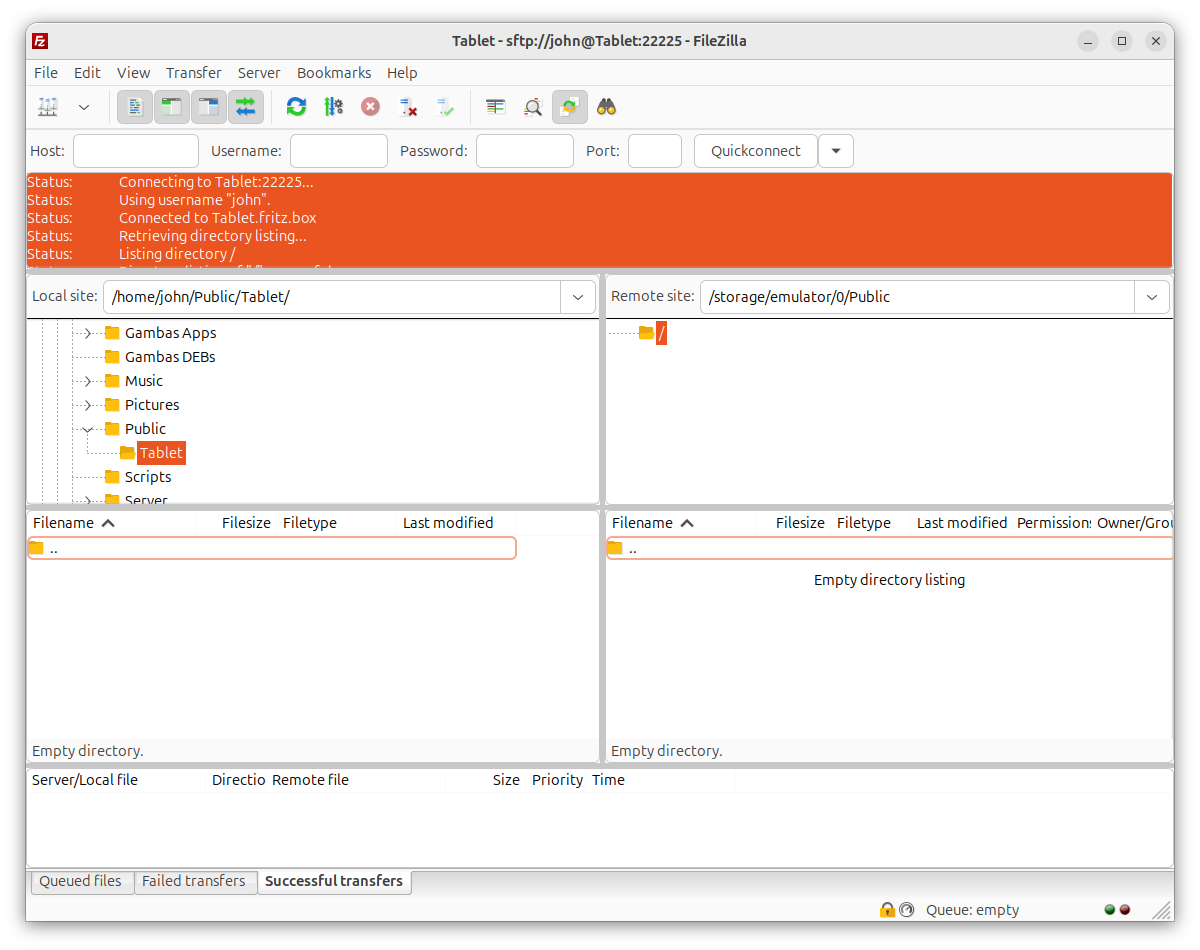
I want to see files on my Android tablet using Filezilla running under Ubuntu Noble. It connects OK but I can’t see the files.
SSH (using ssh -p 22225 john@Tablet) from Ubuntu Terminal connects and can then see the files using cd & ls Linux commands.
PS Problem also with seeing files with sftp Terminal command:
sftp -P 22225 john@Tablet:/storage/emulated/0/Public. After supplying the Password in Terminal it says “Connected to Tablet.” followed immediately by Connection closed. I think that this is the real problem.
Screenshots
Error Messages / Logs
Status: Connecting to Tablet:22225…
Status: Using username “john”.
Status: Connected to Tablet.fritz.box
Status: Retrieving directory listing…
Status: Listing directory /
Status: Directory listing of “/” successful
Status: Retrieving directory listing of “/storage/emulator/0/Public”…
Command: cd “/storage/emulator/0/Public”
Error: FATAL ERROR: Received unexpected end-of-file from SFTP server
Error: Failed to retrieve directory listing
Status: Disconnected from server
Status: Connecting to Tablet:22225…
Status: Using username “john”.
Status: Connected to Tablet.fritz.box
Status: Retrieving directory listing of “/storage/emulator/0/Public”…
Command: cd “/storage/emulator/0/Public”
Error: FATAL ERROR: Received unexpected end-of-file from SFTP server
Error: Failed to retrieve directory listing
You don’t mention which SFTP server you’re running on your tablet. By default Android does not come with one. So it might be a matter of configuring that server.
It’s a problem when it fails trying to connect between Ubuntu & Android: determining whether the problem is with Ubuntu or Android. On Android, I’m using an app called SSH Server which I will now check out.
1 Like
Good detail that ssh works but sftp closes right after connecting. That usually means the SSH server app on the tablet accepts logins but has no SFTP subsystem enabled, and sftp and FileZilla both need that on top of plain shell access. I’d look through the SSH Server app’s settings for an SFTP option, and if there isn’t one, a different Android SSH/SFTP server app may be needed.
Also, your FileZilla log shows the path /storage/emulator/0/Public, while your sftp command uses /storage/emulated/0/Public. I believe “emulated” is the correct folder name, so that typo may be part of the error there. As a quick test, run sftp -P 22225 john@Tablet with no path and try pwd and ls to see where the server puts you.
@Novastart The sftp command you suggested works Ok except that ls command at sftp prompt shows no files afterwards:
The authenticity of host ‘[tablet]:22225 ([192.168.178.26]:22225)’ can’t be established.
ECDSA key fingerprint is: SHA256:nYEUFgYovWyV6TIer19w0hWr3h3GzgqZ9wrNE28ikqE
This key is not known by any other names.
Are you sure you want to continue connecting (yes/no/[fingerprint])? yes
Warning: Permanently added ‘[tablet]:22225’ (ECDSA) to the list of known hosts.
** WARNING: connection is not using a post-quantum key exchange algorithm.
** This session may be vulnerable to “store now, decrypt later” attacks.
** The server may need to be upgraded. See https://openssh.com/pq.html
Password authentication
(john@tablet) Password:
Connected to Tablet.
sftp> ls
sftp> ls -l
sftp> exit
I’ve just had a response from the dev for the Android app ssh Server (which does include sftp according to the app’s screens and the app’s documentation. Dev is looking into why the local files are not listed.
I’ve changed the Filezilla path to include emulated rather than emulator and got:
Status: Connecting to Tablet:22225…
Status: Using username “john”.
Status: Connected to Tablet.fritz.box
Status: Retrieving directory listing of “/storage/emulated/0”…
Command: cd “/storage/emulated/0”
Error: FATAL ERROR: Received unexpected end-of-file from SFTP server
Error: Failed to retrieve directory listing
Status: Disconnected from server
PS There was also an instruction somewhere in the middle of all this on my PC:
he fingerprint for the ECDSA key sent by the remote host is
SHA256:nYEUFgYovWyV6TIer19w0hWr3h3GzgqZ9wrNE28ikqE.
Please contact your system administrator.
Add correct host key in /home/john/.ssh/known_hosts to get rid of this message.
Offending ECDSA key in /home/john/.ssh/known_hosts:12
remove with:
ssh-keygen -f ‘/home/john/.ssh/known_hosts’ -R ‘[tablet]:22225’
Host key for [tablet]:22225 has changed and you have requested strict checking.
Host key verification failed.
I changed the key on the appropriate line to the above.