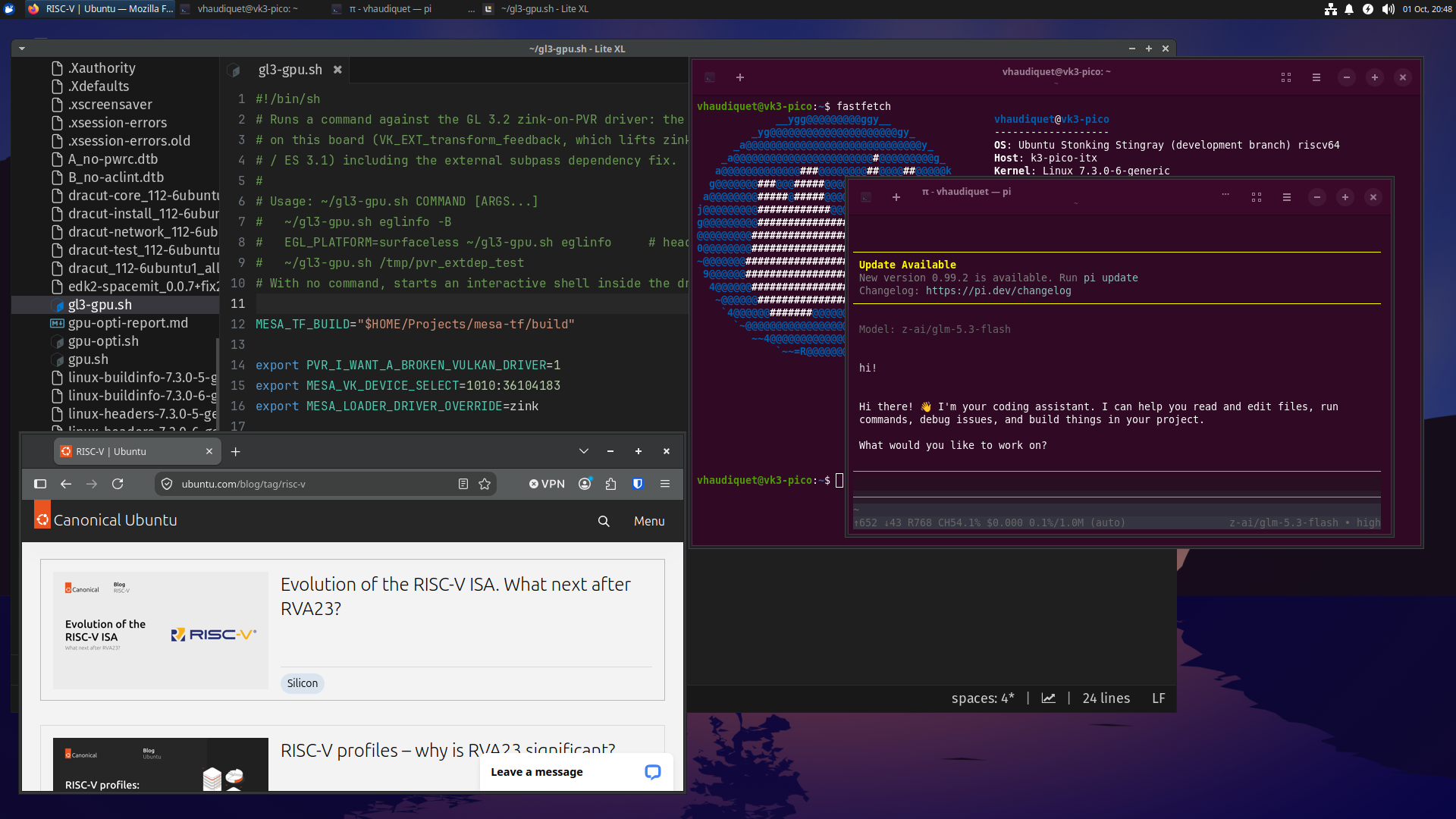
Xubuntu Stonking Stingray on the SpacemiT K3 Pico-ITX, running a code editor, web browser, terminal and AI coding agent.
Ubuntu 26.10 (Stonking Stingray) brings desktop images to RISC-V. The riscv64 builds of Ubuntu Desktop are already available for testing, and we expect official images to come with the release itself on October 15. Unofficial and unsupported Xubuntu Minimal images are also available for testing in virtual machines.
Until now, amd64 and arm64 had desktop images while riscv64 did not. As more and more powerful RISC-V platforms come out, that gap has started to matter. Closing it took a joint effort from the Foundations and Desktop teams, with a fair amount of plumbing in between.
What is available
Two experimental riscv64 desktop images are published on cdimage.ubuntu.com: the regular Ubuntu Desktop image and a Xubuntu Minimal image. The Ubuntu Desktop image can be tested on SpacemiT K3 hardware, which provides a nice performant desktop experience. The Xubuntu variant exists for a practical reason: the XFCE-based minimal image is far more manageable under emulation (the GNOME desktop can take 30+ minutes to load under QEMU).
The images are experimental: they carry no official support yet, and there are still known issues that we are addressing for the release. Bug reports on Launchpad are very welcome.
Official support for the SpacemiT K3
Official support for the SpacemiT K3 Pico-ITX is coming with Ubuntu 26.10, and the documentation is already in place: see Install Ubuntu on the SpacemiT K3 Pico-ITX. The page walks you through flashing the firmware (the board typically ships with a Bianbu installation and outdated firmware), preparing the board, and installing an official Ubuntu image (currently experimental) onto the internal UFS storage or an NVMe drive.
Before the release, we are moving this page from the community supported boards section to the Ubuntu supported boards section, to match the board’s new status.
Trying the images under emulation
To take the desktop images for a spin without hardware, see Install Ubuntu on QEMU (RISC-V). RVA23 emulation needs a recent QEMU, so the host machine has to run Ubuntu 25.10 or later. The page includes a ready-made qemu-system-riscv64 command line and covers downloading the Xubuntu Minimal image.
How we got here (technical details)
Making desktop images builds for riscv64 took changes across the image pipeline.
livecd-rootfsneeded a more generic way to handle device trees, since the old code assumed the server image.- The desktop image builds for both Ubuntu Desktop and Xubuntu Minimal needed enabling on cdimage.
- The installer’s Flutter UI now runs on a riscv64 build of Flutter 3.44.0, with upstream support for RISC-V pushed by Canonical (still in review).
- The kernel team had to cherry-pick multiple patches for hardware support of the SpacemiT K3, especially many patches for display support in order to make the desktop a reality.
The livecd-rootfs changes have also been SRU-ed back to Resolute, so the 26.04 pipelines build the desktop images as well. Ubuntu 26.04 does not have official support for the SpacemiT K3 platform yet, but that is also expected to arrive at some point.
The Desktop team took over the work on the desktop side: making sure Firefox works well both in emulation and on the K3, helped with the bootstrapping of the installer on RISC-V, and made sure the desktop snaps worked properly. Initial images might lack the App Center, Prompting Client and other desktop snaps that the team is currently bootstrapping for RISC-V. They also provided testing and feedback for the images.
Give it a try
If you have RISC-V hardware or are patient enough to use a QEMU host, try those images and:
- report bugs on Launchpad (against the specific packages that have bugs)
- ask questions and share general observations in comments here
Feedback like that helps us get the images in shape for the release.
Thanks
Thanks to everyone who got us here: @skia for the cdimage plumbing, @nteodosio and @gabelluardo for the testing and snap work on the Desktop side, @dloose for the help on the installer work, @xypron for the early testing and guidance, and @semerys for her work on the Ubuntu 26.10 kernel. And the Ubuntu Desktop team as a whole for investing time in this, as well as the installer team, kernel team and any other that I might have forgotten.